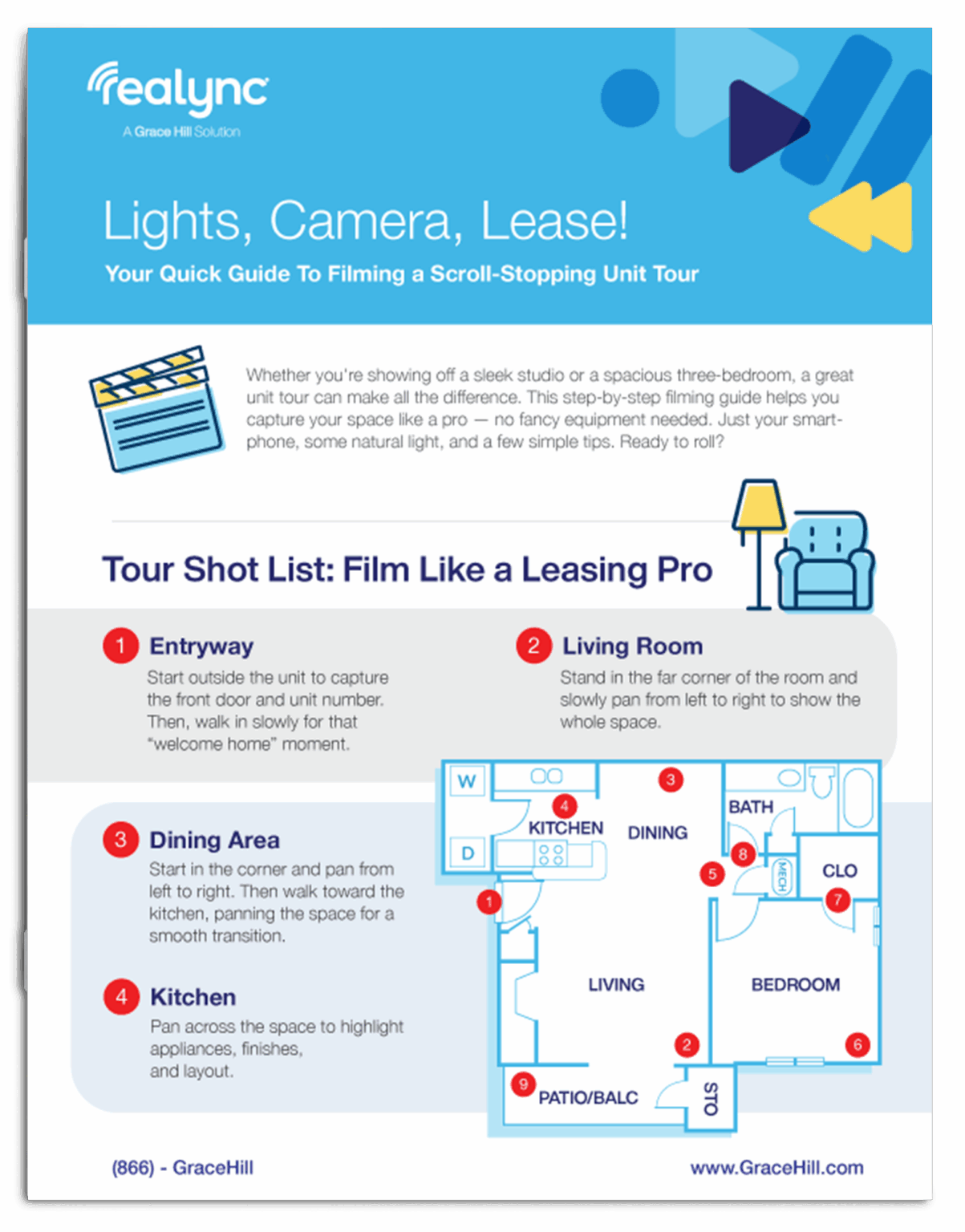
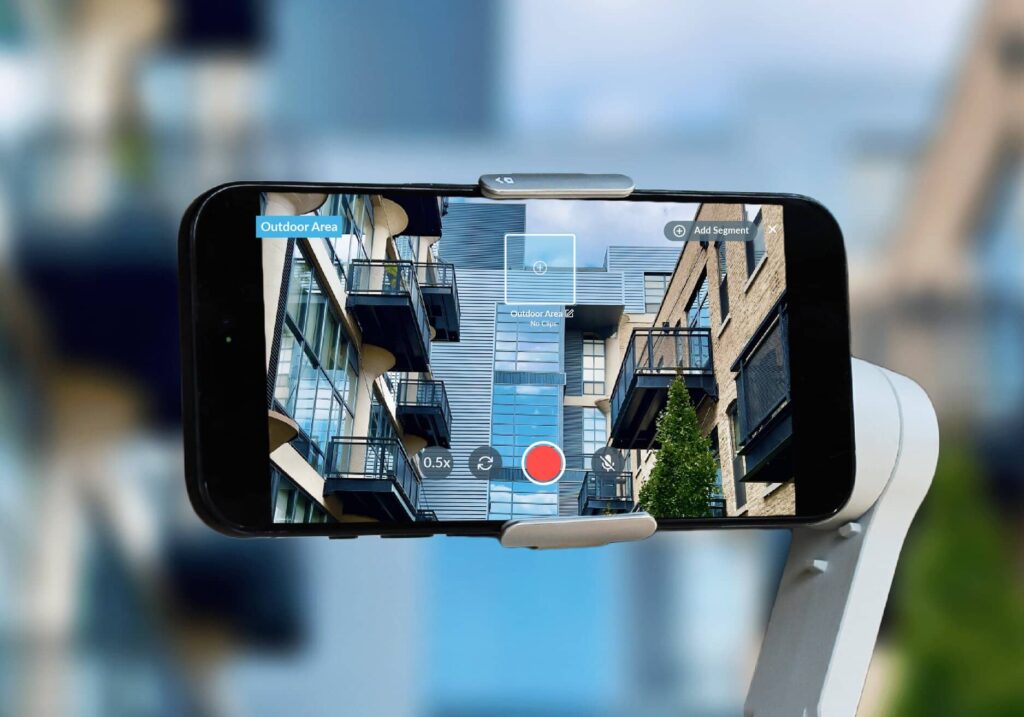
Hey, everybody. Rachel with Realync. We are here with this tutorial video to give you all of our best tips and tricks and practices on how we record units in hopes that this will help you feel more confident when you get the gimbal in your hand and you go out to make videos of yourself. So take a watch, jot down some notes, and hopefully this will make you feel really confident when you head out to make your videos. Okay. So we are here at the front door. We always want to guide our viewer from the front door of the unit and then through the home chronologically so they get the feeling that they walked through the unit themselves. So when you start out here at the front door, you wanna make sure you capture the unit number in your screen, and then you're gonna come to the door. And I like to put my hand down here low to push it open so I don't get my hand in the shot, and then we're gonna enter into the space. Alright. So continuing this first clip, we've come in through the front door. We had our hand down low to open it up as we walk through. We're going to continue into the space in this first clip. On these long hallways, I like to give the viewer a quick tease of what these rooms are on the hallway, but we're gonna continue into the main open living area. Stop here just past the openness and pan across so that viewer can feel like they actually walked through the home and saw what they had to see. Alright, so that was our first clip of coming into the home, walking them down the hallway, and taking a look around. We've stopped that clip. Our second clip, we are going to move to the corner of the living room, and I like to pick the one that's opposite the door where we came in, so the viewer can visualize and orient themselves back to where they enter, and now we're gonna give them a clip across the living room. We always wanna pick corners because angles across the space make your room look bigger. The other thing corners do are lock you in so that you don't turn yourself into a human three sixty camera which does not make for good video. So let's go back here into this corner. We're going to lock ourselves into this corner, we're going to start our clip, and we're gonna pan slowly just across this room so that viewer can see where we came from in this room. Okay. So our second clip was from the corner of the living room so the viewer can orient back to the front door. A lot of times in these open floor plans we have living areas and dining areas and separate little nooks. We want to get different shots from the different angles so the viewer gets the full layout. The other thing you want to be cognizant of is when you pan from left to right on one clip, on your next clip you want to pan from the opposite direction, so right to left. That's going to give your end video a nice flowing back and forth layout as opposed to looking like you just rotated around the space the entire time. So So I'm going to move into this next corner. This is kind of our dining niche. I went from left to right on my last one, so on this one, I'm going to go from right to left across the space. And then we're going to end that third clip. Alright, so kitchens are fun because they're a little bit of a challenge. Remember, this is why we're doing multiple clips so that you can retake your attempts and make it perfect for you. With kitchens, whether it's a giant island like this one or if it's even just the bar top, I like to start at an angle, particularly emphasizing that there are seating available at the island so that the viewer knows there's additional seating and can put bar stools here. So I like to start at an angle across the space. I'm gonna pan over here. This is where you have to start using the pan buttons or panning down with your stabilizers so that we can see these lower cabinets and the lower appliances. And then I'm gonna pan up across the countertops, the backsplash, and our upper cabinets. I'm going to come over here. When you have features like the wine rack and the large cabinet pantries, I like to have those doors open so that we can point them out to the viewer so they get to see how much storage space is is actually available. And then I'm slowly going to pan down back here so that we can see the lower cabinets and the dishwasher. And then finally one last view we're going to pan up and and cross the living space for the view over the kitchen because, you know, this is where mom hangs out. I don't always point out all of the coat closets that are included in an apartment unit because those are shown on the floor plan, which your viewers also taking a look at. However, when we have great pantries, and of course our washer and dryer closets, we want to highlight those features. On shops like this, this is a very simple I like to start at the bottom, and just pan one time up across the space and then end that clip. On any of the clips where we're panning left to right or from top to bottom, please remember you only need to pan one time. This is a video and your viewer can rewind and rewatch if they want to. You do not need to be in back and forth and back and forth. Just once and you've got it covered. So we're now moving from one area of the apartment to another so we want to reorient the viewer as to where we're coming from. So I'm going to start this clip where we're going to head back down the hall to show the washer and dryer and the bedroom and the bathroom that are down here. I'm going to start by giving them a lead in from the living and kitchen area and coming down here. So I'm going to lead this clip down in the hall and then I'm going to come right here and use our subtitles to indicate the washer and dryer are included in this unit. So we're really fortunate in this bathroom layout that we're not staring at a reflection when we enter the space. So we're going to start with our camera pointed down so that we see the flooring in the lower cabinet and I'm going to pan up over the vanity so that we can see the counter, the mirror, and the light. And then I'm going to turn this way to the right before I get caught in my reflection. So I cut myself out of the mirror. Come down into the shower and pan down so that we can see the tile and the tub or the shower. In some situations with bathrooms when you enter the space, you're staring at your reflection in the mirror. There are two ways I recommend handling that. Sometimes you can still hide behind the door entry and pan up and then rotate hard into the space before you get caught in the reflection. The easier version is just to smile and wave and act like it's totally normal and keep recording. Remember if you're offering an authentic experience to your viewer and they're gonna love the behind the scenes. So if you're comfortable, we recommend smiling and waving. So So remember we're guiding our viewer through the floor plan so I'm gonna start by having my camera pointed toward the bathroom and we're gonna guide them into the second bedroom that we're gonna show them. In this particular model we have a really great barn door feature here, so we want to offer this view as well so they can see that feature as we enter the space. And I'm going to stop this clip at this point. Alright, so we're now going to do our second clip of this bedroom. I picked this corner because they're going to be able to see that the doorway connects into the bathroom, so we'll have that as a benefit. We can see where we entered the space, and we're also going to see that we have another closet down here to our left. In this particular unit, we have transom windows, so we're gonna be able to see those from this angle as well. So you just want to pick the spot that you can stand in and show them as much as possible. So one more time, we're just gonna pan across this space and end that clip. Alright. In closets, I like to use the baseboards against the floor as a visual guide to show viewer how big a space actually is. Sometimes these are cozy enough you can just get them in one shot where you start from the bottom and pan up. And this particular closet, it's actually really nice and big. So I'm still gonna start panning down, then I'm gonna rotate into the space and then pan up using my toggle and then rotate back across the space and slowly back out. Heading into the master bedroom, we're going to guide the viewer off the kitchen into the space and slowly just get the Matisse of the bathroom that's to the right as we enter. A lot of times there are ceiling fans in the master bedroom, so I will start with my camera panned up, and I will come at a diagonal down and across the space so that the viewer can see the motion of the ceiling fan in our shot, and and we get the diagonal across the space to make it look big and we can see how large the master bedroom is. Storage spaces are really big deals for our residents, so we want to make sure we highlight it in our videos for them. A lot of times we're filming walk in closets and I told you about using the trick of the baseboards to help them visualize how big the space is. Even when you have wall closets like this, open up those doors and let's do a separate shot of them so we can really highlight how much the rest of it will be able to bring with them. Alright, we have finally worked our way into the master bathroom. This is our last indoor shot of our video. Same theory here. We're going to start pointing down low so we can see the floor and the lower cabinets. We're going to pan up to show our vanity. I'm standing here just outside the door, so I'm cutting myself out of the reflection. And then I'm gonna pan this way. I'm gonna use my right hand out of the clip to pull this door shut a little bit and then pan down over that shower that's behind the door and end this clip. Before we go outside, a few things I want to offer as a closing tip for you. The first, you always want to end your video with an outside shot with natural daylight so that you have a wow moment at the end of your video. Even on crummy days, a cloudy view is better than the toilet or the closet that we just came from. You want to use the floor of your patio or your balcony again as a visual cue to your viewer to show them how large that space is we're going to use that to go outside and pan across. If there's not an outside space available you can still stand here at the large window that's usually in the living room and show them what the view looks like. Let's try it. It. Alright, a few closing tips. The first thing, the first video you make you will be your number one critic. It's okay. Take a step away from it, breathe for a few minutes if you YouTube, go back and watch it. I guarantee it is so much better than what you you think it is. The second, remember that these videos are to be honest and transparent. They're gonna be dumpster outside of you. You don't have to focus on it, you can pan over it, show the good side of the view, but remember, when your resident sees this and shows up after you day, you want them walking in going, Yes, this is exactly what I expected or better, not, Hang on, they didn't tell me that. We're here to build honest, transparent help you build honest, transparent relationships with your residents. With a little bit of investment upfront, these videos are going to help save a lot of time for you on your repeat tours and reducing your least time down the road. We hope this has been helpful. If you have any questions, you can always reach out to us through live chat both in our app on your iPhone or your iPad or on our website at reolink dot com. You can also email us at support at reolink dot com. Our entire team stacks both of those channels, and we will get back to you as soon as we already will. Make it real.



 Customer Support