
 Customer Support

ON-DEMAND WEBINAR
LinkedIn Workshop Part 2:
Now You Are Going Places
You successfully completed part one and met your four week challenge...now what? The fun continues on as we dive into content building, viewer engagement, headline scoring, business pages and so much more in part two of our LinkedIn Workshop series with Stephanie Anderson.
Don’t miss out on an action packed hour of information sharing highly requested by attendees as a follow up to part one.
In this session, you will:
- Discover tactics for creating your content strategy
- Explore example articles, images, and video concepts
- Determine headline scoring and best ways to use it
Many of you already know me. Oh, and that's a old title, Valerie. I forgot to change that. My title did shift just a little bit with Grace Hill recently. Still a senior director, but moving from product, of content strategy, now moving over into the marketing side, handling communications and social media, which, of course, entails content and the strategy that goes with it. Many of you have might have seen me on LinkedIn. I actually love LinkedIn. It was a platform that many years ago, kinda wanted to get more involved in. Didn't really know too much about it other than it was a professional site, things that we wanted to do based on our professional goals and connections and networking and so forth. And then I had a great goal in twenty twenty with my New Year's resolution that said I was going to be more consistent with LinkedIn in terms of posting and meeting new people and just engaging. And so I did just that last year and following into twenty twenty one where we are now, I've actually been really, really fascinated with the amount of data that LinkedIn has and learning about the algorithms and how you can really increase your potential for impressions and views and connections. And, you know, if you're on our sales side of our business, that's great. If you're on the networking side more on the owner manager side of things, I really have found, great connections that have allowed me to learn new things. And so that's what I'm here to share with you today is how you can be better at LinkedIn. So our agenda for today, we're gonna follow-up on part one of our workshop. I gave you a little bit of a challenge, homework as we'll call it, from that, and I wanna briefly go over that. And then develop scoring, because last time we did our social index scoring, this time we're gonna do headline scoring, and then we're gonna talk about what's next, kind of what to think about as we, move past this second workshop. And if I haven't said it already, I'm so thrilled that you're here with me today. So here is a really quick recap. We did the presentation, the workshop number one, where we went through five different task areas. These are those five right here. We learned about creating a vanity URL, adding and updating profile and header images, what that entails, what you should do, and what to look for, Update your headline being creative, which is interesting because now we're gonna take that and apply it to today when we get into the headline scoring. Also, writing a powerful bio, what that means and how to get there. And then, of course, connecting with new people, which to me, that's what any social media platform is all about. It's about learning from other people, connecting with people, and and really engaging and making meaningful conversations moving forward because you never know, when your your past will cross with others in the future. And so with that being said, during the last workshop, I had given you all a challenge. I had said to take those five tasks and improve your SSS score, that was your social selling index score over the next four weeks, which if you're joining us for this and you missed part one, no worries. There's a link in part one that tells you how to find out what your score is. So it's non biased from our end. I'm not scoring you, but it is a third party service that scores you and tells you what to look for. And I gave you about four weeks to do that, which, obviously, it's been past the four weeks. So for those who were procrastinating a little bit, hopefully, you came through at the tail end. And I did tell you to break it down in small chunks, maybe adding in one or two tasks per week so that it wasn't overwhelming and really bite sized chunks, because, you know, we all have full time jobs and other things to be doing. So I would love it if you would tell me in the chat box if you completed the challenge. Interestingly enough, over the past, I would say, two to three weeks, I've been getting emails and messages, which I was telling Valerie about earlier, from those who attended workshop number one. And they would tell me my score was this, and now my score is this, or I made how many new connections based on some of the suggestions you gave. And that to me is really amazing because it shows that the algorithms can be difficult, But when we put these steps or task into place, that it makes it easier for you all to to start to build your profiles, to where they're being seen more. And and that to me is a beautiful thing. So Bethany, yes, Bethany had reached out to me. She had a tremendous, increase in her score. Thank you so much for sharing with me, and she completed that challenge with flying colors. Courtney also did since, let's see, ten seven went from nineteen percent to six percent for an industry. That is beautiful. And then top fifty six percent to twenty nine percent network rank. That right there is awesome. Wow. Thank you so much for sharing that, Courtney. Keep those conversations going. I would love to see them as as we continue on. So one of the things you might have seen on your profile is something called a creator mode. Now, if you look at this little screenshot, this is of my profile right here on the cell phone. So it's on the mobile device, and it shows you that there's this mobile creator mode. Now I will tell you, not everybody has this on their profiles. I would say about eighty five percent of people have it now, so you may wanna check. Eventually, everyone will get it up to a hundred percent. But the creator mode is a chance for you to turn that on, especially if you're starting to create a lot of content. And when I say content, that could mean many different things. It could mean writing articles, posting videos, going live, or just posting, you know, whether it's pictures or videos or just written responses, you know, to people, engaging in group conversations. So that's what creator mode is. It's a chance to grow your audience and get discovered by highlighting content that's on your profile. Now if you click that on, it doesn't necessarily mean you're gonna get higher engagement. You still have to produce quality work. That means quality in terms of those who are viewing it, finding it you know, those in your network. They're finding it to be relevant to what they're doing, and they're engaging in that con content. So I have my creator mode link on. What I love the best about it is that when you have that on, each month, LinkedIn is going to send you some detailed data that is really cool to download, and it'll tell you how many impressions you've got, how many people engaged with you, how many post you did within those thirty days, and so forth. And so that's really nice because it starts to allow you to break down the content that you're producing. So, anyways, that's a great thing to do. Prominently display content, build your following, and engage with your community. You do not have to have that on, though. So if you're not ready or don't feel comfortable with it, you certainly don't have to do it, but it's a cool new feature that I wanted to include and make sure that you knew about. Jay, thank you so much. He completed the challenge. I love it. I love it. Okay. So we talked earlier about the agenda, and we said we're gonna kinda talk a little bit about content strategy, which I really wanted to do during part one because we were focusing on building our profiles. Now with that being said, little tricky here to put that in there without you feeling overwhelmed. Because at the beginning, we were really talking about so many different things you needed to incorporate in your profile. So I felt like this is great for part two because now we're kinda stepping up our game here. So developing a content strategy, keeping in mind that search engines and people looking for your profile are targeting specific keywords. So for those my marketing friends on the call, you already know all about this in terms of everything that you're producing for your company and your properties. For those who aren't, you know, it's no different than when someone is searching on Google and they're using a couple keywords of what they are looking for, and all these results will pop up. Well, algorithms work very similarly to a Google search, but they're on the platform itself, in this case, LinkedIn. And so when you're creating your profile for things like your bio or, any anything that you're put in it, even your headline, you want it to include keywords that people may or may not be searching for you, and that's gonna help with with that algorithm. So we're now to task number one, my friends. That was quick. Task number one is going to be keywords. Now I'll tell you, part two here is not as overwhelming as part one. You made it through part one. So that's the good news. But part two, we are gonna have some tasks, just a few though. So task number one is going to be thinking about keywords. These are these words that we just said in search function that's gonna help people to find you better. So what are five things you'd like to be known for? Now you'll hear a lot of controversy that happens on LinkedIn in terms of should you include your personal life? Should you talk about politics? Should you talk about trending news things? Or should you stick specifically to your industry, your job, what you're doing, that sort of thing? Now I'm not here to tell you what to do or what not to do because it's really gonna depend upon your personality. If how how much you really wanna put your personal life out there, for me for me, I'll tell you that I like a combination of both. You'll see me mix in my children sometimes or my husband, because I think that they play a huge role in who I am as a a person, which means my professional career as well. But you have some people that like to keep it completely separate, and then some people go all out with posting things that may or may not be seen as appropriate by others. So you have to dictate what's in what's important to you and what's appropriate for your profile. And I will say that, you know, that could also depend on your company policy. Do they have a social media policy in place, in terms of if you're saying where you work? Are you allowed to speak freely, or do you have to be mindful of it with your company? So that's my quick little disclaimer. But, yeah, something something to think about there, or what are the five things you'd like to be known for? I'll tell you. With me personally, I like to be known for, you know, inspirational speaking. I love to be known as an industry expert, especially on the operation side of things for owner managers. I really like to be in that trends, keeping up with not just what's happening in the apartment industry, but what's happening in the grander picture of things, whether it's hospitality or, even, you know, across the country in the nation. I also like to be known as a working mom and what that struggle is like, with balance. And so those are kind of keywords that I may use, so something for you to think about as an example. But what word would a person looking for someone like you search for? Now that's tricky. Right? Because you know what you would search for if you were looking for you, but now you have to put yourself in the other position. If you wanted to connect with people that may be in the same position as you, maybe, have similar hobbies or likes or interest or even similar experience levels, Those are things you need to think about when when honing in on your keywords. So, Stephanie, what's the task? Be specific here. We're gonna find ten keywords to help boost your discoverability. And I really think the best way to do it is take a old fashioned notebook. Right? This is my big, big, big notebook. I love this. It's my idea book, and I keep lots of ideas in here, if I ever lost it. Take a a notebook and just start to think with your pen and write down ten things. What are ten things that you want to be known for? Keywords that relate to either your industry, your company, where you are now, or it could be where you wanna see yourself go. So don't just limit yourself to your box of where you are right now in your life, but but you can also think about the future and where you wanna go. And, again, helping to think about what's gonna boost your discoverability. How are people going to find you outside of your network? So if you're looking to you know, I'm in Virginia here, and I wanna connect with someone in California. Well, I know that we're not necessarily members of the same apartment association locally. We may not have any properties or companies in the same areas, so we may have not ever heard of each other. So how do you think outside the box then to connect you with someone who is not near you? And I'll tell you Facebook or excuse me. LinkedIn does a really cool thing on your main page when you log in. It'll say people you may know, and they'll pull from various aspects of your profile if it's completely filled out. So for me, it'll tell me people you may know in the region of Richmond, people you may know at Virginia Commonwealth University, which is where I graduated college from, or people you may know in your own company. Especially if you work for huge companies that have large amounts of employees, chances are you may not know who they are or have ever met them before. And so that's kind of a cool way to connect. So, again, LinkedIn is kinda helping you with those algorithms, but the keywords that you set up for your profile are gonna assist with that even further with connecting. So the first tip I wanna share with you today, and this is one that was really news to me, And I'll I'll tell you an example. I actually posted, something about my kids. I think it was a couple days ago, and it was the boo squad. So I wanted to share what we were doing with my boo crew, which is, you know, hey. If anybody's familiar with Halloween and sometimes you do it in your neighborhoods, you, boo someone. And that's creating, like, a little basket or a bag or something for them that includes different things. People have done everything from, you know, alcohol for adults to for children, you know, candies and notes and toys and all kinds of stuff. And you surprise your neighbor. And the beauty of it is that the person's not supposed to know who sent it to them. So it's kind of like that unwelcomed, you know, just surprise that they get. And it's kinda fun to, you know, determining who would actually be the person that sent it to you. But I wanted to share about that, and I noticed after I posted that I had a typo, and it was something super silly. It was like instead of putting two, I should have put with or or something. And now you're all gonna go back to that post and check, which is totally fine because I didn't change it based on this tip. Normally, I would have immediately saw it. The English major in me would have panicked, which I did, and I would have gone back and edited it immediately. But this right here is a tip you need to know. Don't edit your post to fix a minor mistake or typo. Now if you were to type a bad word accidentally that was autocorrected, yeah, I mean, you're probably gonna wanna change that. Let's be honest. But something so simple as a grammatical error like I did, that was more most people might not even notice it, but to me, it was like, oh, man. People probably think I don't even think before I post. You know, it was I was beating myself up about it. Think about it in that way. Don't don't go back and and edit it. And especially if, you know, you're editing post in the first hour after publishing it, you're gonna see a drop in twenty five percent of reach. And when I use the term reach here, what I'm referring to is reach in terms of how many people having access to your post, how many people are seeing it. And not just those in your first network because your first network are people you are connected with, but I'm talking about second and third. So people who are friends of friends or who have connections with someone else or have similar interests through keywords like we talked about, that's the reach we're referring to. The other thing I wanna mention is that the ideal post has fourteen hundred and seventy characters, three to five hashtags. Write that down. This is really important, the three to five hashtags, and we'll talk about why. One picture, and it's posted in the morning, Tuesday or Thursday at nine AM. Nine AM your time. K? So think about that for a minute. The reason I mentioned the three to five hashtags is because if you're ever scrolling, and this will happen even on Instagram and, Facebook or or even Twitter, And you'll see a post and they have, like, thirty hashtags, and you're like, oh, man. They're so creative. They've come up with all these hashtags. That's kinda how I used to view it as said, wow. The more hashtags, the more opportunity for people to want to engage with that post. Because if they're following those hashtags as they should be, then it's gonna pop up on their news feed. It's actually really wrong. Anything over the five hashtags is gonna start to diminish your impressions that you're gonna get, the views that you're going to get on your post, which means you're gonna have less reach ultimately, and and that's not a good thing. So three to five hashtags for sure is a great a great tip that I wanted to share. Okay. So let's talk about this this headline scoring. Okay. So in part one, we talked about headlines. And we talked about you know, when I first joined LinkedIn many years ago, the headline that I put was my title at the time. So if you are a regional property manager for Drucker and Fogg, one of my favorite companies, I'll mention them, then you might put regional property manager Drucker and Fogg. And there's nothing wrong with that. But if people truly wanted to know your exact title of where you are right now, all they could do is go to your your bio, right, your page, and immediately it's on the top of the page when they click on it, and it shows where they are. And so let's take that a little bit further, a few steps further. What can you then do to engage with people? Now this is where we're gonna include those keywords that we talked about is things that people could search for. But it also allows people to know a little bit more about you. What are your intentions? Who are you? What are you doing? Who do you work for? You know, all of these different things can be characterized in this headline. And in fact, headlines can be, pretty long, longer than I had anticipated. So we're gonna talk about this headline quality score because in part one, we created the headline. I I gave you tips, and I told you how to create your headline. Now we're gonna put it to the test. We're gonna have another company, a third party site, nonbiased, that is going to review your headline exactly how it is and give you a score based on that. Now in true transparency fashion for me, I went ahead and shared with you. That's mine right there. It's a seventy five, which I I don't know. I was kinda disappointed, to be honest. But when I started looking around, I mean, eighty to eighty five is, like, top quality. So I was like, okay. Not clearly off the radar here. But if you're, like, twenty or thirty, yeah, lots of room for improvement here. And so this is an algorithm based scoring system that really looks at a multitude of different areas to find out what works better. And what's really cool is they then give you suggestions as to where you what you should do or where you could go. So it's telling me my scores above average, which I told you about eighty to eighty five is, like, prime time. That's where you wanna be. So seventy five wasn't too bad. It was above average. It tells me what my strengths are, and then it tells me my suggestions, like, where's your brand? It's not there in terms of the headline. Fair enough. Use more alert words and use context words. Again, those are gonna go back to searchability and those keywords we talked about. The algorithm takes into account more than three hundred unique variables. So, again, really, really cool system that I'm gonna share with you here today. Let me take a peek really quick at this, q and a that just came through. Oh, it doesn't let me see it. Well, there we go. Love you, Zoom. Thanks for nothing. Valerie, my friend, on the back end, if it's a question that can wait, just let me know that it can wait. If not, you know, happy to engage in it now. Yeah. It's just a question is is this recording gonna go out, and it sure will. Perfect. Okay. Well, thank you so much for doing that. I don't know why does it like to share those with me, but here we are. Alright. So let's go to the next one. This is task number two. Alright. So task number two, your headline score. Go to the website that's right there by the action. Now you don't have to do it right now. It's up to you. But if you have maybe another device with you or, you know, you have multiple screens on your computer, please feel free to do so now. You go to h t t p s and then go into headlines dot share through dot com. What it's gonna tell you is right when it pops up, you're gonna put in your headline. Now if you have a long headline like me, all I did was copy and paste it exactly from my LinkedIn. So there were no questions about spacing and character usage or anything like that. Put it right in and then click to see what your score is. So it's that simple. Again, this kinda breaks down what they're looking for in terms of strengths, optimal headline length, excuse me, strong human connection, likely to increase brand lift, limited use of passive language. Now suggestions, use context words, use more alert words, try adding something peer or influencer related. So, again, it's going to give you some feedback from when you enter your headline in there. And if you are so brave as to do so live while we're here during this webinar, go ahead and let me know in the chat box. Oh, no, Courtney. Womp womp. Sixty seven. That's actually good. I I have someone who had reached out to me, and theirs was sixteen. So it's sort of like if you joined me, which I know, Courtney, you did for part one when we talked about that social selling index score. And mine was, you know, in the seventies, and I remember getting it actually, no. Mine was first in the sixty percentage, first time I ever did it because I was like, that got failed. That's horrible. But the more research I did, the more I realized that it was actually not far off from where it should be. One thing we have to keep in mind is everything in life that we do, there is someone trying to profit off of a service or a product that can enhance what you're already doing. What I mean by that is many of you know that LinkedIn has their own, program that goes along with the social selling index. And in order for you to ever really get a hundred on that, you would have to pay monthly to be a part of the program. Now I've been really honest and transparent with you all during part one in telling you that I did do a thirty day trial in the program, and I saw little difference from what I could grow organically. I'm not one to spend money on something if I don't feel that it's a tremendous value. And in that particular case, I felt like it's it's easy enough to grow organically if you have the time to do so. And so for me, it wasn't worth paying for it, so I don't recommend anyone to necessarily do that. Sorry, LinkedIn. But, of course, with anything like the headline scoring, if you were paying for that LinkedIn premium program, it's gonna help you to get a higher score too. Thank you so much, Courtney, for putting yourself out there and letting us know your score. Don't forget to drop it in if anyone else is doing it. If you're waiting until after today's presentation, I'd love for you to share afterwards. Now there's a really cool report, the algorithm research that just came out in, September of this year. It's the third edition of this report that has come out annually. And each year, there's something really cool that's added to it that I think, adds value to anyone, even the most, biggest expert in this space. And the reason is because algorithms are constantly changing. So I wanted to share some of this data with you in terms of when to post, because because we're talking about content here and having that content strategy. It is really important. You know, best days to post, Tuesday, Thursday, and Saturday. And that's interesting because before this report came out, I was always told, okay. You should probably post Monday through Friday because it's a professional site, meaning people will typically be on there Monday through Friday, whether they're searching for a job while they're at their current job or looking to make connections with someone else or perhaps find out information about something within their job, maybe a project that they're working on, and they wanna engage with someone else about that information. So usually, you'll find those hours. So Saturday shocked me just a little bit. But that's what this algorithm report shares is some of the things that we may or may not know. Now this report at this time last year did not have Saturday on there. So it kind of shows how that's changing. And, you know, we could say that's part of the pandemic too because everything as we knew it no longer is. So I should never be shocked anymore. Best times to post, mornings, eight AM, to ten local time. And then on Saturday, about sixty percent of all members check LinkedIn while only only twenty percent publish content. So that was really interesting to me because probably on Saturday mornings, maybe when you're drinking coffee or just waking up or whatever, you're scrolling LinkedIn to see what's going on, but you're not necessarily posting where you might post your content during the week time. So that was good to know. And then frequency, this is really, really key. A lot of people said, you know, should I post a ton of times? Now some people have find success in it. There's a few very large companies outside of our industry that have been in the top five companies that LinkedIn has reported for usage of the of the platform throughout the past couple years, and they can actually post several times a day and never take a hit. But it is very rare. So do not post multiple pieces of content within twenty four hours. That's just going to divide your reach over all the post. If you post three times a day, you'll literally kill the engagement on your first post. So, yeah, tricky tricky to think about there. But some some great, great, great data I wanted to share in terms of what we are seeing from the algorithm reports. You know, what we know today may not always be true tomorrow because as you know with any social media, the algorithms are out of control and change quite significantly. But this report helps to keep us in line in terms of what we should be doing or at least thinking about. Now there's a really cool, place on your profile that is for featured content. Let me know in the chat if you have used this or not. It rolled out beginning of this year and allowed p actually, it was last year. I apologize. It was last year, and then not, everybody got access to this. So it's back to that creator mode. It's sort of you know, LinkedIn is one to release features, and they kind of test them out, and then they roll them out to more people and more people. Now where I get jealous is when LinkedIn stories first came out and they were kind of similar to Instagram stories in terms of what the focus was and what the idea was. When they first rolled those out and people were talking about them, I was like, I didn't have that feature for at least four months after they rolled it out. So I was quite jealous sitting back thinking I wanted to try this feature. Well, on that because the feature's dead. And as of July or as of September thirtieth, you can't even, the feature's dead on on there. It did not do as is intended to do, so it's no longer available. But, anyway, so when these things come out, don't panic too much if you go to your profile and you don't have access to it. I would imagine everybody by now should have access to the featured content. It's a great place to put any content that you want people to see when they come to your page. Now mind you, when you scroll down the LinkedIn page, you have a place with activity. Right? That's where you can see what that person has commented on, what they've posted on, what they've shared, and so forth. But they have to search for things. So say if they post on a daily basis, you would really have to dig to find something from a couple of weeks ago unless they were using a specialized hashtag that you could click on and follow that way. It gets a little bit tricky. And so this is a cool place for someone who if you're trying to recruit people, if you want to know more about them, if you've got, you know, a position you think they could be great at, if you have heard great things about a person and that they're sharing things and you wanna check out, this is a cool place to start. So you determine what content is featured on your profile. And when you're scrolling down your page, so you've got at the very, very top of your page, you've got your cover photo, your profile image, your headline, and then, your bio, your about me section. But as you scroll down, the featured content comes next. So the featured content is gonna come before your activity and before your, what I would call, a resume. Right? Your job experience. So in this particular case, I have shared here some things that are post and interview. You could share a podcast. Anything that you have a link to, an article to, images, documents, presentations, you choose, and you upload it right there and allows you to to share it for all to see at at any point in time. So really cool. And what's even better is that you can change this out periodically. So if you're finding that you have a lot of information happening or you're sharing a lot of cool things in the world, you could you could change this out whether it's seasonally, monthly, quarterly, you know, yearly. It's it's really up to you to dictate that. Thank you so much, Valerie, for helping Donna there in the comments. I appreciate that. So, yeah, utilize this feature. Utilize it and let people know, you know, who you are and what you're doing. Alright. There we go. Polls. Okay. So polls are actually loved by LinkedIn. Like, loved. And, you know, polls are a little bit different. Facebook has polls. LinkedIn has polls. I've seen some interesting polls on LinkedIn that make me wonder, is the person really trying to get information from, like, a survey perspective, or are they just trying to get higher engagement because it's a question that is kind of tricky or could be, you know, just something that ensues passion into people to make them wanna respond quicker? But polls can be used for a multitude of ways. It's a way to check-in with your audience, meaning your connections and followers, to see what they like, don't like. Like, say you wanted to ask them about what kind of content they liked. You could ask them what's what's their favorite TV show, or you could use it in terms of from the professional setting. If you were building a new apartment community and you wanted to ask, hey. Which amenity do you love best for this area and get feedback on? I love it because the poll allows you to not only have those questions and answers, but you can also have a blank area where they write in an answer to the poll. That's part of your settings that you would choose. And then there's also the comment section just like any other post so that people could fully engage with not just clicking on, okay. I think you should have a pool, but now they can explain why. You know, if you're on a sales side, asking simple questions like, how do you prefer to engage with supplier partners? You know, I am in the learning space and the performance loop with Grace Hill, and so some of the questions we might wanna ask is, you know, where are you seeing the most impact in your training model? And let people answer or ask them about webinars and what kind of topics they would wanna see in the future. So you could really utilize it to help make meaningful decisions, especially for your business and and how you move forward. Bethany, headline score seventy one. Yeah. Alright, Bethany. And play with it some. I started playing with mine a little bit, and I noticed when I made a couple of small changes, my number actually went down. I think I got down as low as seventy two, and it was because I thought I was doing it better. But, apparently, I was using some words or verbiage that were overused, and so it would not stand out as much. So pretty cool cool tool to play with. But, yeah, polls are really easy to engage with any type of content. Every vote has the same impact as a comment, and it does grow your reach. Compared to twenty twenty, polls have doubled in reach, which will explain why you're seeing so many more polls on your news feed now than you were, say, a year ago. If you create or engage a poll, you'll see thirty percent more in polls in your feed for the following week. So that's pretty interesting to see. I did wanna mention because I've mentioned companies and making business decisions, and it it's important to state that if I am posting as an individual, even though I work for a company, if I'm posting as the individual, I'm gonna get far more reach and impact than if the company's asking the question. Now that's a simple answer as to why. It would be like if Valerie's standing here trying to sell you something working from Grace Hill, and I'm here giving you a free webinar. By the way, Valerie is not selling you anything on the back end, but it's the same thought process as I'm giving you something free. I'm sharing this knowledge of LinkedIn with no strings attached. Right? We don't we don't sell anything to help you promote yourself on LinkedIn. We we don't you know? Yes. We make you better as industry professionals in terms of of our performance planes that we have, but that has nothing to do with directly LinkedIn or anything like that. And so the idea is that, it it it's more genuine when when it comes from an individual versus a company itself. It doesn't mean you're still not gonna get, decent results or even solid results. It just means your reach, you're gonna have to work harder to get the same reach that you would as an individual. So think about that in terms of your company, what you would post on your personal page versus your business page. Okay. Interesting fact for you because I gotta make sure you're still late. Ta da. Interesting fact. Video is the most reshared form of content on LinkedIn. Not surprising. Right? We always say video is king. You know, video gets highest impressions, views, and so forth. It is the best way. And, you know, the honest reason I can share from my perspective here is that video is easily digestible by everyone. You know, sometimes people don't have the time to to read written content. Pictures are nice, but they don't always paint a full story. A video gives you sound. It gives you, you know, more emotional connection. I will say this though, if you are doing video, please know that not everyone can hear the video as it is deemed when you're posting it. So, being able to have closed captioning on there is really, really important. For those of you who love Tic Tac, you'll see that they even have a feature on there now where it makes it super easy. You don't even have to type in your closed captioning. They literally have a button you press. I will say it's like a fifty fifty sometimes with the word choices versus what you say and what they write. That's life, but it does kinda help that for you. We wanna make sure that we're providing content that's inclusive for everyone. So that would be the only thing that I I would mention there, that I didn't put right there. So how do you create the ideal video for LinkedIn? Because let's think about it for a minute. LinkedIn versus Instagram versus Facebook versus TikTok versus Snapchat versus Twitter. I mean, there's so many social media platforms out there. And for my marketing professionals or those who are even on-site and producing content for their community pages, this can be extremely overwhelming because your size requirements are different for every single site in terms of images, videos, and so forth. The quality, changes per each and, of course, the time length that's allowable. So when you're creating videos on LinkedIn, these are kind of my quick tips for you. Upload or post a Vimeo first. Now I'm guilty of not doing that. I am more let's just post this raw video even if it's been edited some directly into the platform itself. I'm gonna tell you that that's not the best now that I'm learning, and and it should be uploaded or posted to Vimeo. You can do it to YouTube. I am weary sometimes with YouTube because of the amount of ads and things, and it gets lost in translation. In Vimeo, it just has a better reputation for for that. Length is between forty five and sixty seconds. So and that's not just for the platform, but think of it in terms of anything longer than a minute, people don't have time to watch. Especially as you get into your younger generations that are entering the workforce, they anything millennial and behind, they they're not interested in watching something longer than a minute. They feel that they can learn everything they need to know on a topic in sixty seconds or less. They do TikTok for ruining the world. Video should be captioned as we mentioned before. This is really important. Video has square format because what you don't want to do is have another format and it cuts off someone's head or it doesn't allow you to see, you know, the full video in its entirety. And then video has an engaging first frame thumbnail. True story here. So for anybody who is following Grace Hill's social media accounts, every Friday, we have been posting for, Kendall Pretzer, who is our CEO here at Grace Hill, her breast cancer story. And we have been uploading a video each Friday, so there's four parts total. And we were working on the third part that you all will see tomorrow that gets released and the thumbnail that came out. And I'm like, well, nope. Can't use that. Because I knew Kendall wouldn't like it herself, but more importantly, it's how people digest it when they're seeing it. So when you're just scrolling right your phone or you're looking on a a desktop, you know, it's important to know that whatever thumbnail is chosen, it's something that's welcoming and and someone would it would make them want to click on it. And so try not to do things where, you know, those types of things. Right? Where the the the picture is captured in that one moment in time, and it's just it's not good for anyone. It's not engaging. It's not captivating. In fact, the person who may be in it may not even like how it looks. And so you have the ability to to change that first frame thumbnail. So not not too bad there. Pretty pretty easy stuff. Once you get in the hang of posting the videos, you know, it it gets easier and easier. And, again, there's a lot of third party sites that you can use here where you will upload one video, and then they will help you to break it down into this is best for Instagram, this is best for LinkedIn, and so forth based on meeting those specifications that are gonna help you with the ideal content sharing. Now one of the questions that I got asked a lot during part one I mean, a lot. I got asked about business pages. This was, like, a big thing. And I said, well, I don't really wanna get into business pages too much. It's kind of a topic all on its own. But today, I'm gonna give you what you need to know about business pages. So business pages means your property pages. If you have one on there, it means your company pages. If you have your own business, supplier partners, your main business page, that's what this means. So here's what we know right off the bat. Four to six times lower engagement compared to individual pay pages. Now remember, I already mentioned that earlier in terms of polls. We know that if the poll was coming from the company versus the individual, it was going to be a a far less reach for the company versus the individual. Same thing here. We know business pages have to work harder, not just on LinkedIn, all social media platforms. It's the pay to play. Right? That's what I like to call it, pay to play. All these social media, you know, platforms, they think we have to charge businesses to get higher engagement because that's how we make our money. So that's where, you know, you have to be very mindful in terms of your sponsored ads that you're posting in advertisements and, you know, boosting posts. That's all paid to play. And so because of that, it's kind of hurt some of the smaller businesses, and we have to get more creative with how we are pushing our reach without breaking the bank. Business pages are needed though because people will say, well, Stephanie, if that's the case, then why wouldn't an individual just represent the company themselves and use that as their company page? Well, there's a lot of reasons why, but I'll tell you the number one is that business pages create credibility. So we all know that Grace Hill is well known in the industry, but not all businesses are gonna be well known. And and let's say you don't know who our company is. If that business page allows you to go to it and to see about the page, take it to your website, see any engagement that they've had, reviews, images, products, all of that stuff. So it creates the credibility that if someone wanted to consider your business to do business with, they would wanna make sure that it's a place that they would wanna partner with. And that's one way to do it is through these pages. And then it's necessary to run campaign ads to support potential client outreach. So when we talk about these sponsored ads and boosting posted, that's really important. You have to have a business page. So I can't go and push content for Grace Hill through my personal page with sponsored ads because they don't allow me to do it. I have to have a business page versus an individual page. Again, that pay to play mentality. And why that's important is because when we're trying to target people for potential clients, potential prospects, potential employees to come root recruit and work for our companies, you know, those are all ways that we would need to have campaigns run, and we would have to have a business page to do that. Let's see. I always forget to check the chat. Quarterly business quote. Yes. Thank you. I agree. Alright. Complete all company page information. This is really important. So you've created a a business page. What do you do now? Same scenario as when we create our own individual pages. You've got to complete all the page information. Just by doing so, you're gonna get thirty percent more weekly views. And this is important because you're already gonna struggle to get the reach that you would get as an individual. So let's go ahead and and do ourselves a favor. Let's complete the company page. So logo, you need a company logo. You need to create the home page, the about jobs, the people section, and then you wanna create a call to action. What's your call to action? Well, it's gonna be different, you know, depending on your type of business. Are you trying to lead people back to your website? Are you trying to get them to pick up the phone and call you or email you? Are you trying to get them to apply online? You know, there's all these different things you have to figure out as a company what your call to action is, but you need to have that on there. Post consistently and include images whenever possible. I used to work consistently versus dictating to you how many times that you should post. Again, we don't think you should post more than once in a twenty four hour period because remember what I told you before, you're posting multiple times in in a one day time frame. They're gonna compete against each other, and it's it's gonna kill your first post altogether. And we don't want that. We don't wanna compete against ourselves. We have to compete against everybody else in the world. So let's make it easier here. Images result in two times higher comment rate and image collages work best. This is something to think about. We know video is obviously king, but video is gonna be hard for everybody to do at all times, especially if you don't have the built up content to do it. So what do you do next? You do images. And I really encourage people to create their own images, and using a collage is a best way to do it. Because even if you're taking images that you have the rights to use because you've purchased them from a photo storage or you found them on Google, again, I wanna make sure you have the rights to use them. But the point here is that if you're just copying and pasting, that just kills your algorithm altogether. Instead, take an image, create a collage maybe in Canva, for instance, and then post it. And now it becomes a unique posting because it hasn't been made before or done, and the algorithm picks up on that and then makes it so it'll have a better reach. And then you're gonna grow your audience to surpass a hundred and fifty followers. Now for those of you who have large companies, come on, depend on your employees here, send out an email and say, hey. We would love for you to follow us on LinkedIn. That's one quick way. If you have clients already and especially happy clients, ask them to follow you on there. Why a hundred and fifty? Well, hundred and fifty is that secret sauce algorithm. This is where it starts to kick into high gear. Now, obviously, if you have thousands or ten thousand followers, that's gonna be way better than a hundred and fifty. But there's this big switch that happens between zero to one forty nine, and then once you hit that one fifty and up in terms of your reach for your algorithm. So important to make that a goal for you if you're starting your business page fresh or you're trying to revamp it up is to really focus on the amount of followers that you can get over that one fifty mark. So how do we make your business page better? Well, I can't solve all the world's problems today. What I can tell you is that your business page really should include a mix of different things that your audience is gonna find engaging. That means videos, event announcements, company news, thought leading industry articles. Now when I say events, I know that might scare some of you because we're still in a pandemic, and what if you're not doing face to face events? Webinars, calls that you do, you know, anything that you are hosting included on there so that people know what to expect. And, you know, virtual events are such a big thing nowadays, that that's a great place to include it in your announcement section. So let's do a quick recap on the quick tips. You're gonna post daily whenever possible. You're gonna give your audience plenty to engage with, and then here we go. I'm gonna beat it like a dead horse. Video is king, but quality is still king. Okay? That is still the king here. That means that let's say you can't post daily. You can only post once a week. I want that one post you do every week to include high quality material that adds value to your page. Don't just post something or share something because you feel the need to put it out there in the space. Make sure it's something that is important to you, represent your company, your brand, and that it's sharing something that others want to see. Something of quality. Okay. So let's do a quick what to do, what not to do. These are my quick rundown. Screenshot this baby if you want. If not, of course, we're gonna send this out to you in the next couple days with the recording. I do want you to engage in LinkedIn groups. You don't need to be a member of every group. The ones that you're in, be active in there. That's how you're making connections with people. That's how your algorithms are kicking up, and that's how you're you're finding out new information. You wanna hit all star star status on your profile. How do you know what that is? Well, when you go into your personal profile and you go into where you can edit each section, it'll tell you how much more information you need. If you have not done a bio yet, you can't hit all star status. If you don't have an image, you're not hitting all star status. If you haven't included certain areas of your profile, you can't hit that. And so depend on LinkedIn to help you determine what you still need to do to hit that. Revise your headline to improve your score. That was that was your first actually, your second task today. First one was keywords. So please check out that headline score and try to improve it. Having employees comment on a company post instead of sharing will have eight times more impact. Eight times. That's huge. Happy employees. Right? Have them comment. Use mobile device for likes and desktop for shares. This one was mind boggling to me, because I had no idea that likes were more powerful on your mobile and shares were more powerful on your desktop. And then you can use either for comments, and they'll have the same amount of reach. A comment is four times more powerful than a like and seven times more powerful if the comment is given within the first two hours. See, this is, like, really key stuff that if you didn't dig into some of these algorithms, you wouldn't necessarily know. But I promise you, it is going to change the way that you have reach for your business, and it's gonna be astronomical as you move forward in terms of of how your business will continue to grow or grow as an individual. Don't do these. Okay? LinkedIn stories, they had dropped eighty percent. I mentioned it earlier as of September thirtieth. They're no longer there. So just get rid of it. Don't even think about it. Third party scheduling has dropped five percent. Let me know in the chat here if you use a program. Now full disclosure here. Most companies use, like, a hoot a Hootsuite of of of Sprout Social. I mean, there's tons of companies out there. And and listen, in now's day and time, it's it's, you know, when you are running six plus social media platforms, you need something to kinda help with that, but I just want you to know that LinkedIn kind of, punishes you a little bit for that. Not a huge punishment, but it's a five percent drop in reach. So if you have the ability to post manually on this platform, it it's encouraged. LinkedIn newsletters have stopped. Again, people don't have time to read, or or long winded things right, so they've dropped tremendously. It's not saying don't still do newsletters that you send out, but maybe send those through your company emails versus a social platform. Don't gate your content on LinkedIn. I am still seeing this time and time again, that what I mean by gated content, it means you post something on LinkedIn. And in order for somebody to read it, they have to either become a member of your site, pay money, or enter in their name or email or phone number or something like that. People will close it out, myself included. I don't wanna share my information anymore. I don't need any more spam happening. So I'm not unless it's something that's life or death, I'm not gonna read it if, in fact, it's gated content. So don't do that. Hopefully, none of you are doing that. Alright. Seven minutes to spare. Valerie, are we sweating here? Okay. Let's see. It's now time for the q and a. I don't see anything highlighted yet in the q and a, but I wanna take this chance to open it up to you. This is your chance to ask me. Now I don't have all the answers, and I don't pretend to be. But what I do know is that there's so much great information out there that I can try to point you in the right direction if I don't know because I'm happy to do so. But, yeah, now's the time. Q and a. Ask me anything. I see one question that has come through from Kate asking if she didn't attend the first seminar, could she get a copy of the recording? And I think we can definitely accommodate that and, send that out to everyone along with the second recording. That will either go out tomorrow or Monday. Fantastic. And, Valerie, I love that. I think it would be great to incorporate it. I think it's a great refresher for those who might have already experienced part one and those who missed out on it. It is jam packed with information. So, yes, if you could do that for us, Valerie, that would be amazing. Not a problem. Who else has a question? Oh, my pleasure, Kate. Oh, thanks so much, Christy. I love the feedback. You know, we had actually not planned to do a part two. It was kind of like a a one and done type ordeal. When I came up with doing this, I thought, I get so many comments about my LinkedIn, and I'm an information sharer. I'm somebody who feels like we shouldn't keep secrets. There's no real secrets in life. Let's be honest. But what I do know is that we empower other people when we take what we know and we share it with others, and then it comes back to us twofold. Right? Because other people will come back and share something with me that they learned throughout their search or reading or experience, and then that can help me on my journey too. And so that's kind of why we started part one, and then we had this tremendous response of please do a part two. It's so good. We want this information, and so here it is for you today. And I'm thrilled that you all could join. I don't see any more q and a, but I wanna give it another minute or two. Of course, you can always reach out to me afterwards. So if you're digging into this and you're going back and thinking about your keywords or even doing your headline score and you think to yourself, okay. I should have asked this or, oh, that's tricky. You know, don't hesitate to reach out here. Scan this quick QR code for me. That is where you can connect with me directly on LinkedIn. My information's on the business card as well. And so happy to connect and have any questions. I do have people reach out to me and say, hey. Will you just look over my profile? Again, I'm a self proclaimed LinkedIn expert, but I am not certified. So you are getting my opinion solely based on what I know and what I see. But, again, happy to share as much as I can. Alright. I don't see any other questions coming in. Well, that's a good sign. They are either asleep, Valerie, or we have won the jackpot and answered all of their questions. I think it's the latter. I think it's the latter. I love it. Well, I am so thankful to have the opportunity to spend this past hour with you all. I thank you for joining me and allowing me to share my knowledge of LinkedIn with you. I wanna give a huge, huge thank you to Valerie for being here with me today. She's done a tremendous job with monitoring the chat, making sure everything's being recorded and going off with the hitch, and, of course, answering the q and a's as they come through. So thank you so much, Valerie. No problem. Happy to do it. Alright. Well, I hope you all have a fantastic Thursday, Friday junior as we like to call it, and thank you again for joining. Have a great one.
Busy schedule? You don't have to miss out! This webinar is available anytime, so you can watch at your convenience.
Our Speaker
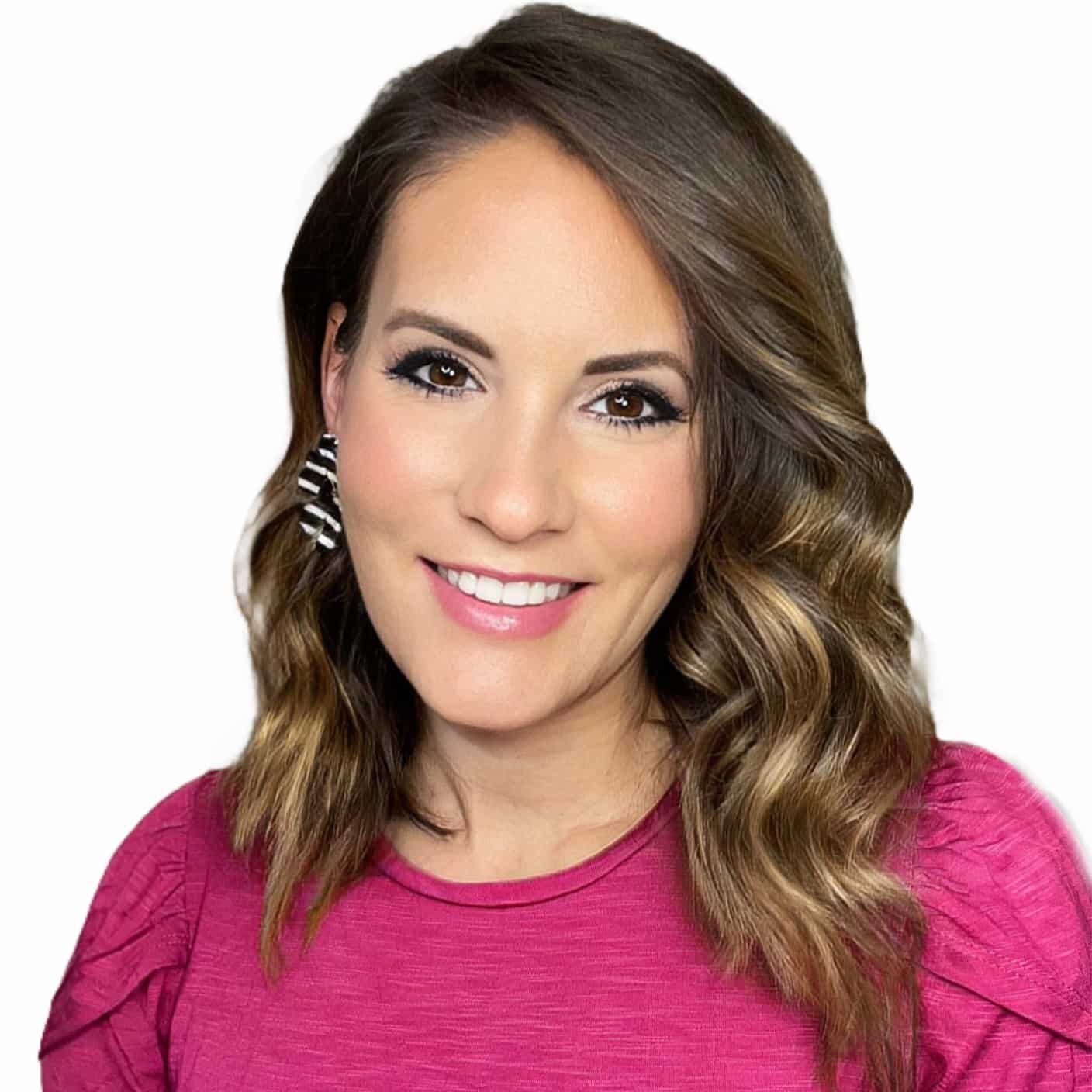
Stephanie Anderson
Senior Director, Communications and Social Media | Grace Hill
Stephanie Anderson is the Senior Director, Communications and Social Media, at Grace Hill. As a working Mom of four with over 18 years of property management experience, Anderson is the first leader in multifamily to bring a unique 360 perspective working as an operator, a non-profit association manager and a supplier partner.
She was awarded the 2024 Supplier Individual of the Year award by the Virginia Apartment Management Association and was recognized as a Top Voice in 2024 by LinkedIn. She is a two-time excel award winner by the National Apartment Association Education Institute (NAAEI) for her incredible work in the rental housing industry. She is a powerhouse speaker that provides her audience with an experience, motivating professionals to greater success and disrupting the status quo at all costs. She has a passion for creative marketing, operational excellence and insightful data.
She is a graduate of Virginia Commonwealth University where she majored in English Literature and Women’s Studies. She holds a Virginia Real Estate License, is certified as a National Instructor for NAAEI and is a certified Mental Health First Aid Trainer. She is a graduate of NAA’s Leadership Lyceum and promotes awareness for human trafficking in rental housing.
More Multifamily Social Media Tools
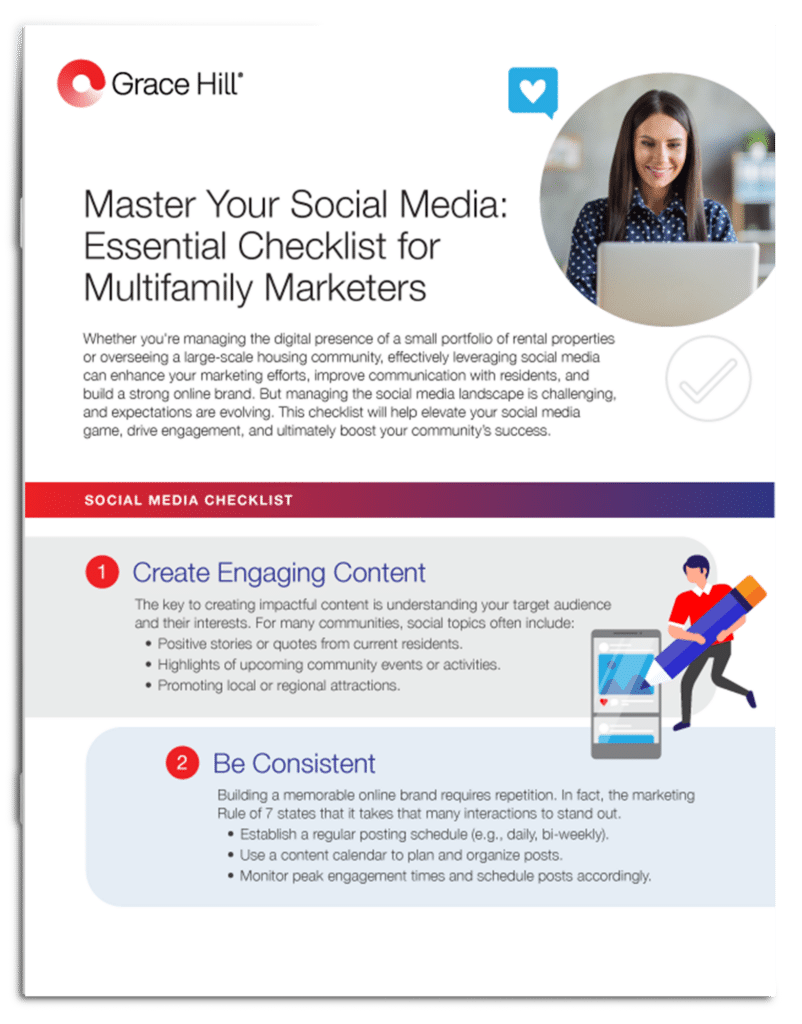
LinkedIn Workshop Part 1: How to Get Noticed and Stay Relevant

Social Media Tool Kit