

 Customer Support


Are you tired of the stress and chaos (not to mention cost!) of emergencies without a clear plan? Does the thought of a disaster keep you up at night, wondering if your team would be ready for it?
Join Grace Hill’s Tami Criswell and RestoreCore’s Kaitlyn Bowman to learn how to create your own disaster plan, so you and your team are ready to take quick, confident, and informed action when disaster strikes.
You will learn:
- The 6 most common mistakes in disaster plans and how to avoid them.
- The 8 essential elements every disaster implementation plan should have.
- Why you need a disaster implementation plan — and why just a “disaster plan” isn’t enough.
- How to create your plan so your team can respond with confidence and control instead of confusion and chaos.
Well, in an effort to somewhat stay on time today and be respectful of everyone's schedules, we're gonna go ahead and get started. So hello, and welcome to today's webinar, DIY, your own disaster plan. My name is Stephanie Anderson, and I am the senior director of communications and social media here at Grace Hill. I wanna thank you all for being here with us today. Today's webinar is being recorded and will be shared with all registered attendees later this week. As an attendee, you will be in listen-only mode. This will help us with any outside noises and disruptions so everyone can hear today's presentation without interruption. If you have any questions, please use that Q&A box located on your screen. We do plan to take live Q&A today as time will allow. So we encourage you to use that box and we'll hold all questions till the end. Of course, as you're using the chat box now, we do encourage you to engage in the conversation, not just with the speaker, But also with your peers, it's a great way to connect with one another and share some great ideas. Now should you have any technical issues or need assistance throughout today's presentation, don't hesitate to send me a message on the virtual classroom, and I'll be happy to help you. At this time, I am thrilled to welcome my colleague, Tammy Criswell. Hello, Tammy. Thanks, Stephanie. Hello, everyone. My name is Tammy Criswell. I'm the VP of partnerships and sales engineering here at Grace Hill. I'm very excited to be here today for this live webinar, "DIY Your Own Disaster Plan." So during today's presentation or speaker will share with you all how to create your own disaster plan, to include the six most common mistakes made in the eight essential elements every disaster implementation plan should have. So at this time, I would like to introduce today's speaker Caitlin Bowman, Caitlyn is the Managing Director of Secure Corp and the chief of staff for RestoreCore. Since twenty thirteen, Caitlyn has worked in the disaster planning, response, and restoration industry, seeing firsthand what happens when property teams aren't prepared, she provides a uniquely comprehensive approach to creating disaster implementation plans that work in the heat of the moment, and I'm sure many of you today know all about the heat of the moment. Kaitlyn, thank you for being here today to share your knowledge with our audience. No. Thank you. Thank you all for having me. I am thrilled to be here. My team and I, are very passionate about helping property management professionals just like everybody on this call. Learn from and of course, hopefully avoid some of the hard learned and expensive mistakes. So we've seen made over, you know, forty years of restoration in the past ten years of doing disaster planning. And then over the, you know, we've worked with probably two, three, if not more thousands of properties create their own disaster plans. So My hope for this conversation is that you all walk away from this, with the guidance and clarity on how you can create your own their plan to avoid those really expensive mistakes and headaches. But a lot of times we see when it comes to managing emergencies. No one ever doubts the importance of a disaster plan. But it's not always urgent until it is. And it can also be really overwhelming. So My goal for you all is that you'll walk away. With declaring on how you really truly can DIY your own disaster. Plan. So with that said, let's kind of dive in. Why are we here? Why are we even talking about disaster planning? If you have been in property management for more than five minutes, you already know it's a matter of when and not if So to kind of put that in perspective, we're gonna kind of start up here and whittle our way down. To put that in perspective, there are some stats on the slide here over the last two years. So when we think disasters, we tend to think of the big stuff, right? The fires, historic flooding their hurricanes. So based on some data that came out for the National Fire Protection Agency, There was over twelve point one billion dollars in damage and property damages in twenty twenty. Right. And a lot of that the top causes on the residential side coming from kitchens, home heating equipment, faulty wiring, and outlets, all things that chances are most, if not all of you, have in your buildings. Okay? And then let's kind of take it to the hurricane side of things for our coastal people, joining today from the coastal communities. Right? In 2020, we had a record thirty-one named storms costing forty-one billion dollars in damage. And then we really topped it last year. Thanks to Hurricane Ida. And last year, because it it cost over sixty billion dollars. Of damages. Right? So that's the big stuff. But for your more everyday occurrences, did you know this stat tends to surprise people. Ninety-eight percent of basements or buildings in some form will incur water damage at some point in time in their life. Right? A lot of that comes from faulty plumbing. And just to kind of put that in perspective, what a lot of people are shot to find out is that when you think about a one in a one eight inch pipe break, in twenty-four hours, that can dump over two hundred and fifty gallons of water into your building. Okay. So now since it's kind of hard to picture two hundred and fifty gallons of milk right sitting in your refrigerator. Let's look at it another way. Okay. Two hundred and fifty gallons is the same thing as one point three three two times the size of your average hot tub. Or six times the size of a standard bathtub or just get a little more on the fun side. Sixteen kegs of beer. Okay. All pouring through your building from one pipe. So picture this. Pipe breaks in the fourth floor. Your team rushes to shut that water off except no one on-site knows where it is. And the guy who does is on vacation. Right? So they're making frantic phone calls while that water continues to flow, money's flying out the door and calls from your panicked residents or tenants are pouring in. Pun not intended but appropriate. Right? And I can't see you, but I would imagine whenever I have these conversations, I see a lot of heads nodding. So whether you're working through this or eating while you're listening. If you've been in property management, I'm sure there are some of you that are thinking, oh my gosh, I've I've been there done that I know what this is like. K? Now what we want for you. So again, kind of starting high level. I wanna walk through what a standard definition is for disaster plan. Okay. And according to dictionary dot org, a disaster plan is an actively maintained. Right? And we're gonna circle back on that throughout our conversation, but an actively maintained document containing procedures and information that you need to prevent mitigate, prepare for, respond to, recover from emergencies. And as a property manager, when you think of what a disaster plan looks like for you, you're thinking about how to respond to those fires, how to prepare for a hurricane. Right? Where are your utility shutoffs? Who do you call when something happens? How do you evacuate your building? And we're gonna get into the nitty gritty of the different sections and items you want to have involved in your disaster plan. And yes, that is what a disaster plan is meant to do. But what I also like to challenge you all to think about is there's a lot more that your disaster plan can do. Okay? To get the most out of your disaster plan. And to make sure that it doesn't become out of sight out of mind because it happens a lot. Right? You create it and you hope you never have to use it. So you forget about it. But there are a lot of really valuable ways that you all can pull value from your disaster plan. Right? If you've got, as I'm sure most if not all of you do, after hours coverage, right? Things love to go wrong at two o'clock in the morning. Right? So how can you use your disaster plan to document the after hours action plan? Stepping out of the actual context of emergencies and disasters. If you do it the right way, your disaster plan can be an incredibly powerful onboarding and training tool for new hires. And we'll talk about how you kind of maximize each of these elements as we're working through the conversation. For those of you that have third party management as part of your business model, a disaster plan when done well can be an incredibly powerful business development school, right? It gives you that competitive advantage when you're selling your services, and telling potential owners of assets say, hey, when things go wrong, we're ready and here's the, here's what that looks like. You get that when you go with us to manage your asset. And then of course, right? It's a tool to minimize risk and exposure to those property losses. So as we talk about the six main mistakes and the six building blocks and the eight essential elements. As we work through all of that today, My challenge to you guys is to think about, not just how can your DIY disaster plan solve your emergency problems But how else might you be able to use it to solve other challenges in your business or add value in other areas of your company? And I'll circle back to Aldes at the end. The point of the story and why we're here talking this afternoon, or morning for those of you joining from the West Coast. Is that there are a lot of disaster plans that look really great on paper. But in the heat of the moment, end up being less than helpful. And that's not what you want. It's not what we want for you, you know. So let's start there. We see a lot of a lot of different types of disaster plans. They tend to fall into four different buckets. And I'm willing to bet that most of you have or have had at least one of these and maybe it's kind of evolved over time. But of course, one of the most common disaster plans that we see with folks is a really experienced staff member. Whether it's you or somebody on your team you've been there at the property. You know it inside out. You've probably been through where they've been through their fair share of disasters so they know what needs to be done. That's all etched and ingrained in their brain. Your disaster plan is in their head. And I hope each of you have one of those people because that is an incredibly, valuable asset for you and your team. The other one that we see, right, is that trusty and probably dusty binder. Right? That someone put a ton of time to create, put together a ton of really helpful information, your site maps, and building plans, and vendor lists, and all of this really great information probably you know tens of pages. I've seen hundreds of pages all put into a binder and sitting hopefully on a bookshelf somewhere in the office. Maybe. Probably covered a lot of dust. And then there's electronic version of that, right? If you're a property manager, maybe you have all of that stuff, not in a binder, but save on your computer. Right? You know where it is. You can access it quickly in great. And then the fourth bucket that we tend to see a lot is a share electronic solution. Right? So whether it's a company Internet, a commoner, a shared drive, some kind of software, web or mobile-based technology, or it's something shown on your computer but something more central that other people can access from other properties or other locations. And don't get me wrong. These are all incredibly valuable resources, but chances are that they are making at least one probably a few of our the really common mistakes that we see even in the best-laid disaster plans. So let's dig into that. Even what the best information, most disaster plans made are a combination of the six mistakes you see on your screen. And I'll walk through each and we'll kind of dig into each of them deeper. Number one, it's not easily accessed. Number two, It's too long and too complicated. Number three, they tend to only focus on the emergency management side. And we'll talk about emergency management versus the people management element. They don't discuss the who. Right? They talk about the what, but they don't talk about the roles and the decision-making abilities of the people actually involved in responding to that disaster. They tend to be written for a very familiar audience and then last but not least they don't have a system for regular updates and training. Okay. So even with the best outline of what you should do, the reality makes them less than helpful. Cook something like this. Right? So first and foremost, can the plan easily be found? Right? And for ten, this is either two PM on a Tuesday, 2AM on a Saturday. Can you find it? Is it in the building? That's maybe on fire. Can you get to it? Can you get to it from home at two o'clock in the morning? Is it all in your head? What if you're on vacation? And then what if your facility manager will be Maybe he or she knows everything. What if someone less familiar is on call? Excuse me. What if you hire somebody new? Excuse me. Who has access to your computer files? Do they know what to look for over to find it? And then if they do, how long does it take for them to access that shared drive and dig through everything to find the right files. How many phone calls do they have to make to find what they need? And then once you find it, do you have to read through page after page to figure out what needs to be done first? Do you have to click through ten different folders or sections to find the most important information? Does it tell you what to do but not who should do it? Can it be used by someone who knows absolutely nothing about your property? Is the plan kept up to date. And last but not least, how do you make sure it's not forgotten about? Right. So you can have the best information put into wherever you are saving it. But unless you work through and avoid those six common mistakes, this is what the reality tends to like and why it tends to be less than helpful. Okay. So really what what it all boils down to is one foundational mistake and that's that your standard disaster plan only focuses on the what, but it fails to plan for the who, the when, the where, the why, and the how of putting it all into action. Okay. We talk a lot about there's the disaster plan, but then the implementation piece of it as well. Right? So we like to refer to it as a disaster or implementation plan that takes it five steps further. It plans for the who, the when, the where, the why, the how puts all of the what into action. K? So let's take those six building blocks and flip-flop. I'm sorry. Let's take the six mistakes and flip-flop them into the six building blocks of a successful disaster implementation plan. Number one, if you remember from my previous slide, and I said the first mistake that tends to be made is that it's not easily accessible. So the number one building block of a successful disaster implementation plan is that it is quickly easily and centrally accessible. Okay. So when you think about where you're storing it, you wanna make sure it's something that people can easily is regardless of where they are. And guys, when you think about it, right? These things, your cell phones, right? They are in your car at your desk. Probably in your bedroom when you sleep, possibly even the bathroom. Right? Then your office, they're in meetings with you. They go on vacation. They are there with you wherever you are. Okay. So thinking about awake is there a way to put your disaster plan on your phone in a way that everyone can access it. So when you're thinking about the different apps that are out there, things like, you know, Microsoft OneDrive, Google Drive, Dropbox, Microsoft Teams, thinking about ways that people can again pull up that important information on their phone, in their back pocket, in the car with them, hopefully not while you're driving. But, right, that's the point of the quick easy, central, accessibility of it. So once you figure out where you're gonna put it and how people can access it easily, you wanna think about how do you label these things. Right? So you wanna make sure that the information is labeled and organized in a way that is crystal clear. And you wanna think about the fact that The reality is this information might be accessed. Like I said at two o'clock in the morning in panic mode. So I don't care how experienced you are in managing disasters. Most of us still have that moment of panic of shoot you would have asked me in a calm afternoon when nothing's happening, what needs to happen first? I could tell you, but now you're kind of met with that panic. Right. So remember that people are gonna be looking at that information in panic mode. So how do you label things? Not just for each property maybe even each building. Right? Because that your things like your where your shutoffs are located and where the alarms are and we'll get into those eight essential elements here in a few minutes. But thinking through what that really looks like and labeling it in a way that it is crystal clear and you're not spending those crucial minutes trying to figure out where the heck that thing is saved. You also wanna think about the levels of access needed. Alright. So think about who might be using it? A regional manager is gonna need access to all of the properties than his or her region. If I'm a maintenance technician, I just work at one property. That's probably the property that I need access to. But am I covering on-call for others? Right? Maybe I need access to those three or four properties that I might support. So think about how you make sure that people have the right access to the properties that are relevant to them? Okay? So those are the three tips right there to kind of think about how to make it quickly, easily, and essentially accessible. Number two building blocks Excuse me. It needs to be short enough to support decisive decisions. Okay. I know it is so easy to get bogged down into the details but I'm telling you every emergency will be different no matter how great you are at planning, who needs to be called, and what needs to happen, something will go wrong. Okay. Every emergency will be different. It's impossible to account for every single step along the way. And when you try to build out a really robust an incredibly detailed disaster plan or procedure. Again, looks great on paper, but at two o'clock in the morning two PM, and there's a fire flood. You've got residents calling, whatever it might be. You don't have time to flip through all those pages or scroll through all the sections. It needs to be high-level quick action. What are the top things I need to do to prevent that damage and keep people safe. So we always recommend work off of the 80/20 rule. This is tough but think about what are the twenty percent of the steps that impact eighty percent of the outcome. Right? Things like shut that utility off. Notify the right people. Communicate the next the most important next step to your employees, your residents, your tenants, whoever. Right? So one of the main things that if you get these right, you're gonna try you know, you'll keep people safe and you're gonna try and mitigate as much of the damage possible. Okay. So twenty eighty role. And then think about what are the top three to five no more than ten preferably high level actions that need to be taken. Right? Don't don't get into the why or the detailed variations focus on the action behind it. Things like shutting the water off assessing damage, calling your vendors, clarify what needs to be communicated to your residence escalating to regional management, whatever it might be. So again, think high level three to five. No more than ten actions that need to happen because when you're looking at a list of three to five or ten things, you can digest that much easier than ten pages of details. Okay. The next building block is it is written for an unfamiliar audience and this is where your disaster plan will stand the test of time and turnover. Right? We all know, property management is not an industry for everybody. And some of you, I'm sure, are blessed with strong veteran staff, and there are plenty of us that don't have that lock either. So, when you're writing this, you want to think about not only who's on-site when something happens before and after hours. But also think about the roles that they play that you might not automatically think or involved in emergency management. Right? So you think, of course, property manager you know, maintenance manager, your maintenance technicians, they know when they take that job, they're gonna have to deal with disasters at some point in time. But who else is at your property that might be involved? Right? Your front desk staff, your security guards. Do you have people that work in the concierge side of things? Leasing agents. Right. When they take those jobs, they don't think they're gonna have to worry about shutting water valves off or, you know, responding to emergencies. But is there a chance that when something happens, they may be the only ones that are there. Right? So instead of putting them in a position where they don't know how to find that water to shut off and they're calling someone waiting for someone else to arrive or they're trying to explain over the phone how to find that. What if your disaster plan was written in the way? But someone who knows nothing about the property can jump in and shut that water off as soon as possible. As opposed to letting it run until you find the right person, the right answers. K. And then think about when you hire a new property manager, a new maintenance manager, a new building engineer, Think of the power of having all of this already documented accessible from their work phone. And what does that do in terms of reducing the time, the burden, the exposure that comes with a new hire. Right? So this is where I talk about and write what I mean when I say can be a really powerful onboarding tool. Okay. So write it assuming the lowest level of familiarity with the property, the lowest level of of experience with emergencies and building utilities. Make sure you specify things like our keys needed, our special tools, how do they get into the mechanical room, whatever that might be? And then also think about what would you want to tell your staff what can and should happen And also what should they not do? Right? So for example, I've seen some disaster plans where they say, you know, security alarms, sprinklers, a great example. They don't want, you know, their staff can't turn it off. They've gotta wait for an approved vendor, whatever it might be. So clarifying what can and cannot be done. Okay. So let's take a look a look at two examples here. What I see a lot when someone's writing a disaster plan, typically they're the ones that are more familiar with the property. So when they're documenting where their water shut off is, A lot of times I see them see something like your water shut off is located in mechanical room. Great. That's super helpful if I know where it is. But I had a brand new hire if I'm covering on call or covering for vacation. I may not know what that is. Right? So example number two, water shut off is locate the mechanical room from the front lobby, take the stairs to the basement, turn left down the hallway. Excuse me. And from the lobby turn left on the hallway, take the stairs down in the basement at the bottom of the steps is the door label mechanical room. The main water shelf is located in the back right hand corner to the left of the boiler. The levers blue turn it to the right Right? So you're specifying where is it located? How do I use it when I get to the room? What am I looking for? Right? Which is more helpful? So stepping back and kind of checking yourself as you're writing this. If you knew nothing about the property, could you still get to that shut off? And turned off to prevent that damage and cost that comes from it. Okay. Number four It clarifies roles and decision making abilities. This is where we get into the people management side of it as well. My recommendation is focus on the role the roles and the decision abilities, not the name. Right? Focus us on the position. Names are gonna change quickly. Right. But think about who is responsible for assessing damage. Who's responsible for calling your vendors? Who's responsible for communicating certain things to your residents. Right? So you can sit there and say, we have to assess damage We have to call our vendors. We have to communicate x y z with our residents. But unless you think about what position owns those responsibilities, That's just one more question you have to answer in the heat of the moment. Okay. So give some thought ahead of time as to who again, not names, but what positions would you ideally want to take ownership of those responsibilities? And then think about how is that different during hours versus hours. Right? You're gonna be staffed differently depending on the time. So maybe you have a during hours and after hours process. And again, guys, don't get and perfection. People are gonna be on vacation. They're gonna leave whatever it might be, but focus on what will apply the majority of the time. Building block number five is that it is systematized to support ongoing training and updates. This is what helps you make sure that your that your plan doesn't collect dust, whether it's physical dust or, you know, virtual dust. Right? So the way to think about this is how are you gonna train new hires? So they know where to find your plan and how to use it. One of my favorite suggestions is build it into your HR process and your new hire training plan. There's something to be said about you hire somebody new and there's so much they have to learn, right? The training by, you know, drinking from the fire hose. There's only so much can retain. It's a lot on each of you to make sure that you're training them on all of these things. More often than not, This is the stuff that doesn't take top priority. Right? Hopefully, disasters don't happen every day. So this stuff tends to be forgotten and kind of excluded from new hire training plans. But if it's part of your HR process that as soon as someone is hired, they're given access to your disaster plan. They are trained on where to find it how to use it. Then you can do really great things like, you know, a new hire scavenger hunt. If you've got all your utilities documented, give them their disaster plans and go find these. Walk the property. Get comfortable with this. Right? You build it into your new hire training process. It keeps front of mind, and ensures that if they are caught early in their career with you and something happens, they already know how to jump into action and take informed action from the get go. Okay? So that's what I mean that when done, right, you're a disaster plan is a really powerful new hire onboarding tool. Okay? The other piece of course, you don't wanna forget your existing staff member. So how do you provide refresher training? To the people that have been on your team for a while. Who's responsible for scheduling and conducting those trainings? How frequently do you wanna hold them? You know, if turnover is a challenge for you, you may wanna offer training monthly, quarterly, twice a year may be sufficient, but give some thought to if you're creating this, who's gonna own making sure that it doesn't collect that it's not forgotten about and that your team remembers where it is and what's in it. These trainings are also a really great opportunity to check for updates Your disaster plan should be dynamic. Right? Your staff, your call list, your vendors. We'll talk about each of those here in a second. They will change and sometimes quite quickly. Alright. And as you're learning your disaster plan, I'm sorry, as you're using your disaster plan and you're going through emergencies, you're gonna learn that doesn't doesn't work and you're gonna wanna update your plan accordingly. So you also wanna think about who is in charge of making this update. Who's allowed to make them? What is the process for communicating an update? Right? Maybe I'm a brand new maintenance technician and I'm looking at this disaster plan and it just says the water shut off is in the mechanical room. And I think, oh shoot, that's not very helpful. And then you wanna say, do I go to property manager to recommend recommend that change. So think about who is allowed to make an update how those updates are communicated. Are they made directly to the plan. And then once those updates are made, how do you disseminate them for the organization? So our binders get really tricky. Right? If you have a binder, people still love to touch paper and it feels tangible, feels real. But what happens if you're updating a particular procedure or a process or a vendor list and you emailing it out to the properties and hoping that somebody remembers to take the old page out the new page in, right, up getting it's very tricky when you're doing non electronic version. So think about if you're gonna put the time and effort into creating this. You wanna put just as much time and effort in the thing, but how are you gonna keep it updated? How are you gonna continually train your people on it? Okay. So let's excuse me. Talk about the last piece here and then we're gonna jump into the eight essential elements. Sections that you included. Number six is that it addresses both property and people management. Okay. You want your disaster plan to include the critical information about your buildings, right? Your alarms, your utilities, your security information, your, you know, all that good stuff Equally critical for that though is the people piece, right? What needs to be communicated or planned for in regards to your residents, your tenants, your vendors. Right? How do you communicate to them? Who owns communicating that piece? Sometimes the people are the more difficult. Piece to manage in a disaster than the building itself, right? So make sure you're not excluding the people management side from your planning. And you're gonna see how this plays out in the eight essential elements. I know we've got you know six mistakes and six building blocks and eight essential elements. But we're gonna get into the kind of the more detailed stuff of the sections that your disaster implementation plan should really include. Okay? Number one, evacuation plans. Ideally, right, depending on your building, this looks very different for your garden style versus high rise. Very different evacuation plans. And I will say having worked with a lot of clients, this tends to be the section that makes people the most nervous. Right? They kind of hope, that emergency personnel are gonna be there and they're gonna run the show. Nine times out of ten, they will be. But I have talked to plenty of people who say my maintenance guy lives on-site or around the corner, he was here first and he had to start the evacuation. How do you do that? Right? So thinking about do you have at least two, if possible evacuation routes to exit the building in case one is no longer an option? Are they posted anywhere? Do you have a particular protocol? I know of some properties that have really sophisticated, you know, PA systems that can communicate throughout the floors. Some don't. How would you communicate those evacuation steps? How do you share the evacuation route or protocol with your residents with your staff. So you wanna make sure evacuation plans are part of your disaster plan. The other piece is command centers. People forget about this one. Right? When you think about an evacuation situation, of course, number one priority, get people out of the building as safely as possible. But then what do you do with them? Right? You now have a sea of people outside, panicked, emotional, and it just adds the chaos of what you have to plan for and manage. So thinking about what command centers or locations would you wanna by is the designated meeting spot for your residence for your staff for emergency personnel. For media if they show up. Again, guys, you can make these decisions in the moment, but you will have enough thrown at you in the heat of the moment. The more decisions you can make ahead of time the better. Right? What I see a lot of times because it's the easy answer. I see a lot of people say, we're all gonna meet in the lobby. Or we're all gonna meet in the community center. Okay. Maybe that truly is the best space. My recommendation have a primary and secondary location in case your first one is part of the affected area. What I will also challenge you to think about though, of course you've got a plan for what space do you have available? How many people are you potentially talking about? If you've done a partial or full evacuation, how many people do you need to make space for? But then also to think about what kind of conversations will need to be had with those various groups. I'm willing to bet there are things that you will need to talk to your staff about that you are not ready for your residents or your tenants to hear. So how much physical space do you want between the command centers? That way you don't have residents overhearing things about the source of the loss or step, whatever it might be. Okay? So thinking about how much space do you need between them? And then also think about whether there any special needs that you need to accommodate for. And a story that I always love to tell, sad story, but a very poignant one is we had a property I had a building, burned to the ground in twenty-three minutes a day after Christmas two years ago. And What happened is they thank god, got everyone out of the building safely. No one lost their life. But most of their residents were elderly. So here it is the end of December in Pennsylvania. So it's freezing. And they have a building full of elderly residents who can't stand for a long period of time. So thank god, they had a great relationship with the municipal building across the street. They were able to call their point of contact. They came. They unlocked it. They're able to get warmth and seeding to their residents while they dealt with the fire itself. So thinking through the groups of people that will be affected and are there any special needs that you might need to plan for and accommodate. Okay. So it also goes back to the people management side of this. The third section that I recommend you include in your disaster plan is relocations. Right? So think about if your management office was affected, where would you set up shop until you can get back into that space is usable again, whether it's soaked from a pipe that burst, you know, on the third floor or fire and even smoke and soot throughout the theater at your office. Where would you set up shop? Sister properties, vacant units, if company headquarters is nearby, there's a hotel down the street again, just thinking ahead as to what spaces might be available to you. So it's one less decision you have to make in the moment. The other thing I always recommend is if you have to relocate it sounds so simple. People talk about it all the time, but very few people do it is having that go bag of resources. Thinking back to the particular manager, of this building that I mentioned that burnt the ground the day after Christmas. She literally carries one of those tool boxes on wheels since she got Home Depot. And it is full of things like notepads, pens, cell phone chargers, computer chargers, name tags, markers. I mean, you wouldn't believe it. But she said, and she's like, you are you better be sure I will never be caught. Off guard again. So she literally has this mobile office that travels with her in her car. Right. So think about what are the kinds of things you might need if you can't get back into your office. Okay. Number four. This is a big one. Utility shutoffs. Right? Do you know where your water gas electric HVAC boiler riser systems, sprinkler systems doesn't matter. Anything that you might want to know how to shut off if something goes wrong. Do you have that documented? Right. And I recommend documenting similar to the example that I showed earlier. Where is it located with the details of how to get to that part of the building. And once you get in that room, what are you looking for? Right? So where is it? How do I use it? What does it look like? Photos, right, or worth a thousand words? So think about how can you document the placement and the use of your utility shutoffs. That way there's zero questions If someone from the front desk or leasing or a new property manager, someone come from the call and is exactly where that is can get to as soon as possible. Number five, the alarm system. So very similar to your shutoffs, but thinking about your fire alarm, your security alarm, where are the panels located? Do you know how to disarm them or rearm them? Do you need special approval or vendors to do that? So outlining, what do we do if a security alarm goes What do we do if the fire alarm goes off? And again, thinking about depending on the setup of your property, you've different built buildings are the placements different by building. Right? So think about where these things are located. But again, listing, where is it? How do I use it? Number six, your vendors. Right? It's supposed to the people management side as well, but who are your vendors? Right? Do you have an approved list of vendors think of this as kind of like your vendor phone book. So make sure you have a centralized and up-to-date list of your vendors with contact information but also think through who's allowed to call them. You know, we have and again this goes back to making sure it's short and decisive enough We have one client in particular who, we'll call him Steve. Steve was adamant that he was the only one that was allowed to call the vendors. Looks great on paper, right, span of control. He was the one making the call. You knew that vendors weren't being called out kind of frivolously. They were watching their budget. Challenges anytime Steve was asleep or on vacation, we had a hard time getting in touch with him and then all that time spent trying to get in touch with Steve to get approval The emergency is still occurring. We're not able to get in and stabilize the damage. So thinking about is it going to promote quick decisive action or slow the process down. So think about that as you're figuring out who was assigned to do certain things. Your call list. Right? So who would you need to call in the event that something happens? Right? Your property manager, If it's large enough that you need to escalate to regional or corporate staff, who should be contacted in what order, Do you have sister properties that if it's an all hands on deck situation? You need to bring them in for support. How and when do you determine if you need to escalate? Who's allowed to escalate to the higher levels. And then do you have access to their numbers? Is it easily accessible? And if you maybe have them, in your phone, does your staff, right? Does your staff have access to your regional manager, your VP of facilities, whoever, Right? Do they have access to the information so they can handle that quick communication, a very streamlined process. K. Last but not least, community resources. We recommend that you bring these in, our abilities into your disaster plan just because sometimes you do have those disasters that are large enough that you need outside support. So whether it is the local chapter of Red Cross, United Way, FEMA, EPA police department, fire department, anything on those lines, and I recommend it can be tedious. I recommend you do the googling ahead of time and take the time to find the chapter closest to your proper It is very frustrating. God forbid you have a large fire loss and you need the right cross to come in and help and you Google Red Cross and it takes you to the national hotline and you find yourself in this crazy phone tree Do yourself a favor. Google your local chapter. Make sure that's the number saved in your disaster plan. Again, You can Google at two o'clock in the morning when everything's breaking loose around you, or you can do ahead of time and streamline that process. Okay. So these are the eight core sections, the eight essential elements that we really recommend you build into your disaster plan. So as we're talking about this and certainly, for engagement's sake, you're welcome to drop us, and I would love to see your feedback actually in the chat. But Think about for yourself, do you know all of this about your property? And if you do, great I hope you do, but if you don't, you're not alone, we talk to a lot of people say, I should know this, but I have no idea. I have to hear that a lot. But now imagine you acquire a brand new property or you're on call for another property or you hire a new manager a new maintenance supervisor. They don't know all of this. Right. So how can you help arm them with that kind of information? So I know we've covered a lot. Right? And I know this is where people get so overwhelmed by it. So we've gone over a lot. We will cover the six most common mistakes We talked about how to turn them into the six building blocks of your disaster implementation plan. We've talked about the eight essential components for both emergency and people management. The planning questions to consider the suggestions and recommendations for each. A lot of people say, okay, great. But can you actually DIY your own disaster plan? A hundred percent yet. Okay? You can absolutely create your own disaster implementation plan that checks all of these boxes you may already have something in place, right, especially if you're part of a really large or complicated building, you may have something you can start with. And tweak and add on to. But to help that process, one of the things that you'll get later this week I believe is we do we have a checklist that we are happy to share with everybody. You'll get a copy. It's a PDF couple pages, but it goes through an actual checklist of how I included these eight essential elements. Have I thought about the six building blocks. So we wanna make sure that you have that to help you kind of apply everything you've learned today. But before you start, I want you to ask yourself these questions. If you do plan on using our checklist and some of what we've talked about here today, as a means to kind of get started with your disaster plan. The recommendation to you before you do anything else. First step is to take a few minutes and evaluate the resources you have available. Right? Because the last thing you want and this ties back to what we started with earlier. Right? A lot of people end up with a disaster plan that they put a ton of time and sweat and energy into. But then after a while, even no one knows where it is. It hasn't been updated. People forget it even exists. And all of your hardware kind of goes to waste. We see it all the time. So a few questions that I want you guys to think about that will help you through the process of DIYing your own plan. Excuse me. Who's gonna be responsible first and foremost for creating your disaster plan? Is it you? Is it maybe a committee at your property or a committee, you know, at the intra corporate office? Do you or does that group of people have the time for this kind of project? And do you have the knowledge the knowledge to create quality plan. And certainly we hope this training and the checklist helps. That's the whole reason we're talking today. So use the information, use the checklist to help you guys through that process. And then think about do you have a platform to make sure you're hitting that number one building block of easy distribution access updating. Right? Quick simple easy access is key for it to being used. Okay. And then last but not least, do you have the resources to help support ongoing training and updates. Right? You don't want this to be something you create and then never touch again. So what I will say if your aunt is have my doubts. I don't know if we have the resources the time to do this. You can certainly look into third-party organizations. There are plenty of those out of the facilitate the process. But if you have all the resources, there is no reason why you cannot do this on your own for free. Okay. It really is just a matter of you all taking the time to make this a priority and make it urgent. Before it actually is. Right? And simplicity is one hundred percent the key. Right? And I said this earlier, right? You have a ton. A ton on your plate I hope this was a really good use of your time this afternoon. As I said earlier, no one ever questions the importance of a disaster plan. It's never urgent. So you need it. And that's really urgent. But if you do it right, like I said, to wrap it all together, It can be a really powerful after hours action plan onboarding and train tool for your new hires. Business development tool to give you that competitive advantage And, of course, it minimizes your risk and exposure to property losses. So there is a way that you all can maximize the ROI of your time and get as much value as possible for all the time and effort you put into it. Okay. So, I truly hope that you guys are all walking away with some valuable information that you can use to create your own disaster plan. If you have any questions at all, please, I think my contact information is on the last slide. You're always welcome to reach out to me there on LinkedIn long story short. I am here and happy to help you however I can. So, with that, I think I'm gonna pass it back over to Tammy or Stephanie, I think. Yeah. Thanks, Caitlyn. So helpful to remember all of these things. And hopefully, I was inspired. So, hopefully, everyone is as inspired to make this a priority. We know how important it is. But just to pull on this thread a little bit further, if you are in the need for more detailed training, around some of these topics, Grace Hill does have a risk management series where we cover not only how to make a disaster plan, but how to put in to practice in the case of an emergency. Other topics in this series include risk assessment, crisis management, basic OSHA safety standards, and crime awareness and prevention. Many are asking in the Q and A. Will you receive all this material? The answer is you'll be receiving an email later this week. Stephanie will clarify more, but that will include, not only, the recording of all of this, but also, a link to find out more about Grace Hills Lewis managed series if you, are interested in that. So back to you, Stephanie, for some question and answers. Thank you, Tammy. That was great. And Caitlyn, thank you so much for this amazing presentation. I was over here just frantically taking notes And I think a lot of our friends on today's webinar are doing the same because our number one question that has been mentioned over and over again is they want access to your slides because it was good. I'm glad. And it was really hard to write everything down. So they would like to know, are you able to allow Grace Hill to share these slides with all of our attendees today? One hundred percent. Fantastic. And to those who have asked, this is being recorded today. So later this week, we will send the recording from today's webinar. We will include those slides And Caitlyn has an extra special resource that she is including just for you all for attending today's live event, and that is in the form of a checklist that is going to get you started and just be amazing as you're being proactive with your planning. Now we're just taking a quick look to see if there's any other questions coming in. Oh, side of the slides that we now know we're going to share. Patrick says this seems simple enough. Would you recommend adding pictures of located things? Yes. Definitely and I'm glad you said it's simple. Right? That's the whole the whole point of this. Right? Simplicity is key. Yes. Pictures are amazing. If you have the ability to take pictures of your shut-offs, your alarm panels, and I would even go so far if you have the ability to while you're walking around and kind of documenting where your shutoffs are located, if you have get tags, right, that say, like, water shut off, electric shut off, tag that baby right then and there and then take the picture. That way, whoever's looking through your disaster plan, whether it's printed or on your phone, they know exactly this is what I'm looking for. So pictures go a long long way. And, right, think about user behavior at this point. Right? We are so accustomed to responding to visual things now. We want quick information. We're always gonna read through things. So taking really good pictures is key because then it allows that communicates the location to them a lot quicker than reading things. My recommendation to if you're taking pictures is you know when you walk into the room, take a picture kind of far angle so you can see where the shaft is located in the room and then a close-up of the, of the shot off itself. So you kind of the big and the macro and micro view of what you need to work through. But yeah, Patrick, I would totally agree pictures are are really great asset for this. Great. Tammy, I believe this question is for you. Christy would like to know, are the risk management courses included in vision? Great question. So the answer is it really depends on, the course catalog that you all are subscribed to. But what I can tell anybody who organization is using vision is we believe in this topic, a hundred percent here at Grace Hills. So everybody's system has a, full holistic course, on this included with your platform. So everyone will have that general crisis management course, and then the elective series, if added into your catalog by your organization, we'll include even more information past that. Fantastic. Now Eva asked a question. Is there training on each, meaning each specific disaster, say tornado freeze, etcetera? I'm assuming maybe that's a Tammy question. It sounds like she might be asking if that's related to the risk management course, but I'm not certain. I think we cover a variety of different types, of disasters Even including, though, and Caitlin touched on this earlier, it's not always gonna be a major event. Sometimes they're very small and you still have to have a plan. So we include some more detailed training information about planning for those day-to-day events as well. Great point. Well, we have just a few more minutes left in today's webinar. We're happy to give you time back in your day is I'm sure you are anxious to get started on your disaster planning, but just wanted to open it up one last time for any more questions here. Caitlyn's information was on the screen. So that is great news. If you wanna go to the next slide, Caitlyn, there it is. If you have any additional questions for her, say you're not comfortable asking today, or maybe you think of it later. That's typically what I do. I can never think of it on the spot. Yeah, please. Any questions, please feel free to reach out. I'm happy to happy to answer anything and help her break him. You are so kind, Caitlin. Thank you for offering that. Take advantage of that. It's, not often, you have an expert at your fingertips that you can ask all this amazing information. Also, on your screen is a quick little QR code. You can scan that with your phone to get registered for our next live webinar coming up in April. April is fair housing month, which is big, big, big stuff in the compliance world, and we are happy to share some education on that, covering some really hot taboo topics. Let me take one last look. I think that's about it. I just wanna thank everyone for attending today to just spending this past hour with Caitlyn, Tammy, and me. We appreciate you all so much. We know you gained a ton of information, and we just thank you for being here with us. To Caitlin, thank you so much for sharing your amazing information. And Tammy, thank you so much for being here and sharing the risk management series as well. Alright. Have a fantastic Tuesday. Thank you. Thanks, everybody.
More Safety Preparedness Tools and Insights
When Disaster Strikes: 7 Multifamily Disaster Planning Mistakes
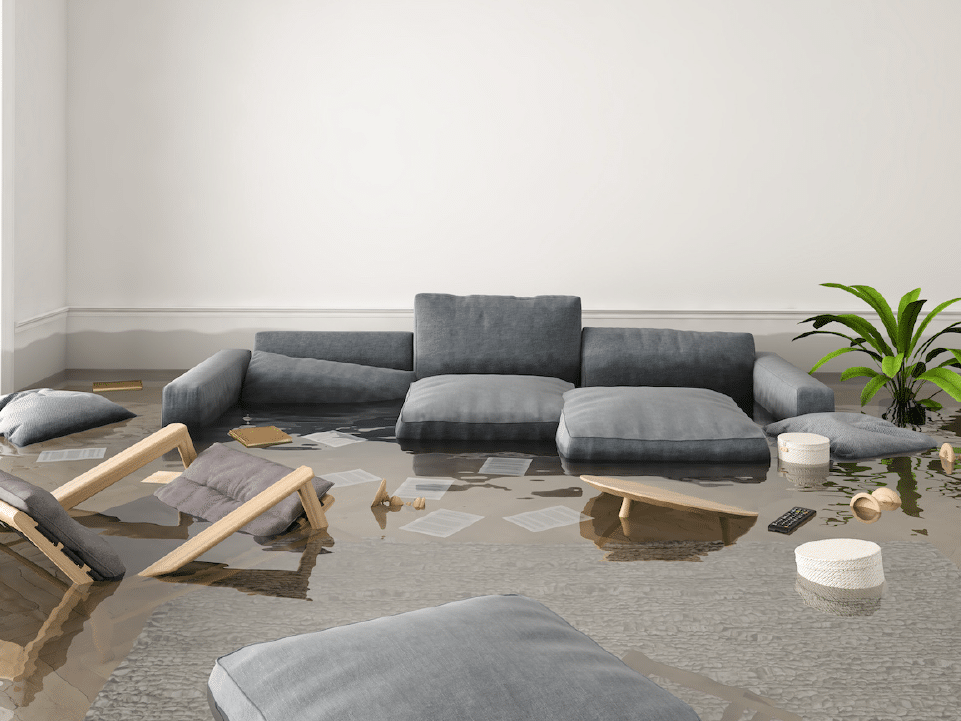
How to DIY Your Own Disaster Plan