
 Customer Support

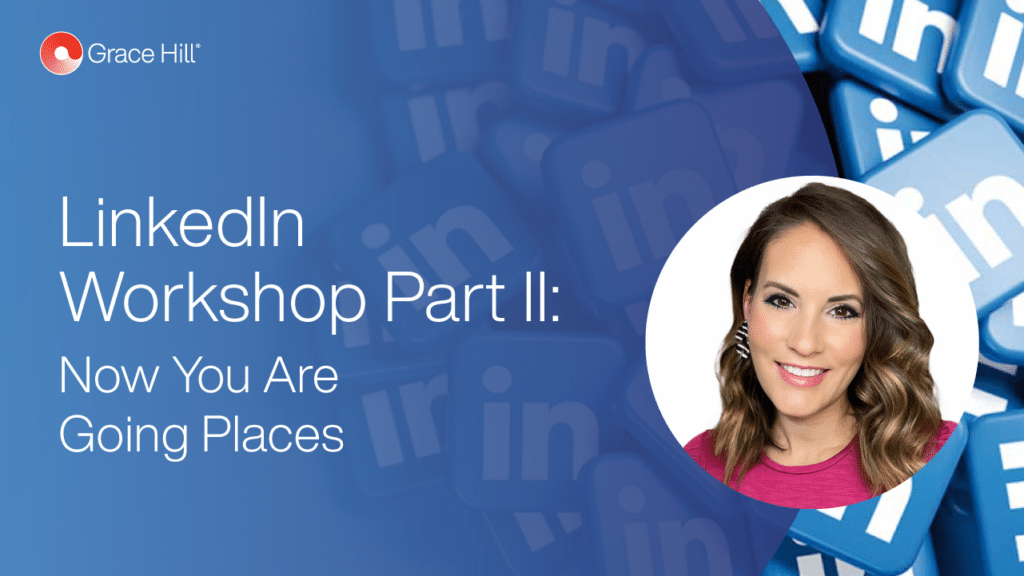
LinkedIn is a powerful tool that allows users to connect with other business professionals to build meaningful relationships and share valuable information. When used correctly, you can get business advice, build your professional brand, market your business, connect with people from around the world, and generate leads.
So why is this the most underrated social tool for our industry?
Join LinkedIn power user Stephanie Anderson as she shares tips and tricks for building her brand on this platform. This power hour will be packed with tangible takeaways and group exercises to challenge your way of thinking and enable your future platform success.
It's so nice to see or you know, watch some friendly faces come up on here. It is. Okay. Well, welcome to our LinkedIn workshop. We're still having, folks coming in, but I think we'll go ahead and get started. We're happy to have Stephanie Anderson host our workshop today. We'll learn tips from Stephanie and how to get noticed and stay relevant. And, of course, LinkedIn is a wonderful platform for that purpose. But a few reminders before we get started, we are recording the webinar in which, and we will share it with you via email once the webinar is over, probably, within the next day or two. If you've registered and signed up, we will send out an email with the, recording. So you'll be able to share that with your team if you'd like. And in order to maximize our time together, everyone's gonna be in listen-only mode. So please enter your questions in the Q and A section, and we'll address your questions, either throughout or at the end when Stephanie gets to differ points in her presentation. So now I'm gonna turn the time over to her, and, she's our senior director of content strategy, and let her get started with our LinkedIn webinar today. Thank you for joining us. Thank you so much, Lynn. Kudos to Lynn for operating the back end of our webinar today. She is here to assist us with anything that we need in the chat and Q and A box and we'll be assisting with some polling we're doing shortly as well. So thank you so much, Lynn. I'm so excited to have all of you here today. This is a new topic that we decided to do. I get a lot of questions about my LinkedIn. Specifically, you know, how do you have these levels of engagement? What are you doing? What do you think about the content that you post and so forth and so on? And I thought, you know what, what a great topic this would be to have more of a workshop-style environment for today's webinar where I could talk through a lot of the best practices and tips and tricks that I've learned. And there's a little bit of something in here for everyone today. I would say there are some basics here if you don't have a LinkedIn account or you're just starting to think about it. And then, of course, there are some more intermediate and advanced skills that we'll walk through. But I would love any feedback that you have based on today's workshop. And if there are additional topics you would like to see in the future. That's kind of outside of the norm that you would see for Grace Hill. We would love for you to tell us about that as well. So I've been in the industry for about fifteen years here, served in a multitude of roles, starting as a part-time leasing consistent all the way up through director roles in various companies, most recently before joining Grace Hill, well known for working for the National Apartment Association as their industry operations manager. And then I've been serving with Grace Hill for seven months now, which is crazy to think just how fast time is flying here where I assist with content and marketing and all the wonderful things that the team at Grace Hill works on on a daily basis. So for today's agenda, I briefly kind of talked about it a little bit. But I'm gonna tell you we're going to discuss, you know, how you get success through LinkedIn. We're gonna talk about a social selling index score. If you haven't heard about that, no worries. We're gonna start from scratch and work through that. I'm gonna talk about the four components that go along with that scoring system, but I think what's most fabulous today is that we're really gonna talk about those tangible ways to really engage for future success. And I'm gonna give you action items. So some of the work today, we're gonna do. You're actually gonna do things right here and right now if you have the ability to do so on your device. And then if not, I'm gonna encourage you to do it afterwards, and I'm even gonna present you with a challenge at the end. A little bit of fun homework, as I'll say, that'll help, move you forward within within your social media form. So I love this quote right here that I always say, you know, LinkedIn is no longer an online resume, which originally that was the thought process when LinkedIn was created, was it was a place not just for professionals to engage in new employment, but kind of list out their resume and their professional accomplishments. Now it's really evolved into a digital brand and online reputation. It's a place to make connections and share professional ideas. Not being there means that you're missing out. And I'll tell you don't think about LinkedIn. It's just a place to go look for a job. It's also such a great place where you can share meaningful content, and I learned some really cool things, not just from our industry, but industry trends outside of the apartment business. And things that can be applicable to what we do on a daily basis. And even the state of the economy, I mean, there's just so much great information there and a lot of motivational things as well that kinda keep me pumped and ready for more. So we're definitely gonna dive into some awesome content today. This is funny to me. So I told you I get messages, like crazy about my LinkedIn account I actually set a goal for myself, at the beginning of twenty twenty. I, you know, one of my new year's resolutions was be more consistent and accurate and active on LinkedIn. And it was just a personal goal of mine to really be on there more so than just kind of checking it before I might post maybe once a week, once every couple weeks or so. And I said, you know what? I really want it to be more, can assist it for me like my Facebook or Instagram would be and just kind of went all in with it. You know, some people might have Twitter as their preferred you know, you can pick what social media platform you prefer, but typically everyone has one that they kind of go to. And LinkedIn, I really wanted to be that place where I invest more time and not just learning, but also my personal brand and allowing it to grow. And so I get comments like, wow. She's always on LinkedIn posting new stuff. I just don't get the point. I can't get anyone to like my post. You know, others say I don't even have a photo on my account. I don't have the time for no results, which I really get that, and that's what we're gonna help with today. So I thought we would start off with a quick poll to help me figure out where you stand. So let's see. Lynn, are you able to pull up those polls for us? We have two quick poll questions. Okay. So take just a few seconds here. Let me know how active are you on LinkedIn, daily, weekly, monthly, regularly, or never. K? Let me know. And then the second poll question, what is your main focus for using LinkedIn? I think this is gonna be very different for everyone, you know, recruitment, job opportunities, meeting new people, sales for any supplier partners that we have on our call today. And then there's, of course, others. If you choose another, I would love for you to drop it in the chat for me to let me know. Let's take about twenty more seconds here. Give everybody a quick chance to answer those polls. I'm curious. I'm very, very curious about what the answers are. Check our chatbox here. Jeff says marketing and branding. Absolutely. Melissa Palmer, hi, Melissa, staying engaged with colleagues in industry professional reading and learning. So important. I mean, I get so much information that I'm able to really digest and think about the future. Just being on LinkedIn. Andrea says staying in touch with what's going on in the industry local and at large. So there seems to be a lot of consistency here. Of, you know, we're reading and staying in touch with people, finding out great information. So Lynn, let's go ahead and end that call. And can we share the results? There we go. Okay. How active are you on LinkedIn? It seems that the largest amount thirty-two percent is weekly. Hey, not bad at all. That's actually great. I was really worried that it was going to be never, but I will tell you, daily is is twenty-nine percent, but then rarely is twenty-one percent. So interesting results here. It seems like we're kind of across the board here. And then what's your main focus for using LinkedIn thirty two percent is job opportunity? I think that that's great. But I'm hoping today's thought process will let you kind of engage with some other opportunities in terms of what you can use LinkedIn for. Alright. So let's go ahead and dive into some information. I thought that this was some good statistics to show before we dive into the workshop today. LinkedIn profiles with professional headshots receive roughly twenty-one times more profile views and thirty-six times more likely to receive a message. That's pretty powerful in terms of whether or not you have a picture up there. I know it can be intimidating to put your picture up there on a professional network especially if you don't have a headshot or professional headshot. I encourage you, which we'll talk about in a little bit, but headshots can also be done with cell phones in a selfie mode with a timer with some, you know, good lighting. And, you know, don't get caught up on, you need to spend hundreds of dollars on professional headshots to make this happen. I think it's so important to have a headshot, a photo on your account because it allows that personal engagement between people. LinkedIn boasts over seven hundred and forty million users in more than two hundred countries, which is fascinating to me. You can connect with people all over the world and find out what they're doing and what business they're in and what their thoughts are And when we saw in the chat, people choosing other, that was a common theme we saw was that people are saying I'm learning. I'm reading. I'm you know, gaining more information about what's happening in the world and what better way to do it than to connect with that amount of people in those many localities. And then according to LinkedIn of all of its users, a hundred and eighty million are senior level influencers. That makes up nearly twenty-five percent of its total user base. That means that you know, for those of you looking for job opportunities, you have the ability to connect with senior executives who may be in charge of hiring with company to show interest in you or an opportunity. This also means for our supplier partners, great opportunity here to connect with those decision-makers in a company, ones that you would want to do potential business with. So great great statistics here. If you weren't already sold on LinkedIn, this is your side. Okay. So let's stop for a second and talk about this social selling index. I'll tell you the first time I heard about this, I kind of smirked a little bit because I had already been doing my LinkedIn, like I said, my goal was in twenty-twenty. In twenty twenty-one, earlier this year, I was introduced to the SSI as we're gonna refer to it. And the score that you get based on your profile, And I thought, well, I do work for a supplier partner, but I don't do sales directly. That's not what I do, you know, in a roundabout way course, I always wanna promote my organization I work for. But in terms of, SSI, some people kinda take that as, okay, if I'm someone that's on the business side that is trying to sell something, this shouldn't be most important to them. Well, yes, that is true, but I'll tell you what I found from the SSI score is that those of us who are not doing sales, but are there for the right reasons, whether it's job opportunity, recruitment for our companies, connecting with other people and networking, it's super important to have this baseline, this kind of benchmarking, as I'll call it, that allows you to compare yourself to not only people in your industry, but then people outside of your industry that are in your network. Okay? So I don't wanna overwhelm you with this. There is a link right there that you can see w w w dot LinkedIn dot com just as you would go to your LinkedIn. Then you're gonna put forward slash sales forward slash s s I. Now if you have a chance to do that on your device, whether it's a cell phone, or your desktop or laptop, I encourage you to do it really quick. If you're already logged into your LinkedIn account and you enter that, it's gonna automatically take you to that page. If you go into that and you're not already logged in to LinkedIn, you're going to have to log in to it, which shouldn't be a big deal to enter your username password, and then the beauty is gonna come up your score. This magical score is just, voila, it's gonna pop up. So take a second to do that. Because this is something we want to jump right into. Oh, hey, Jay. It is a may I know. So let me know. Okay. This is the first action item we're gonna do during today's presentation. I want you to look up that SSI number. K. There's the link again for you right on the screen. Tell us what your number is. If you feel comfortable doing so, Bethhanie, my first one, thank you. Thirty five. Michelangelo, fifty-two, Ashley thirty-two. No. No. No. Jay. Forty-five is excellent. Alright, Paul Marx with, was that sixty-eight? These are going to fast. I gotta keep up. Yeah. Sixty-eight, Courtney forty-six, Melissa Palmer seventy-six. No. No. No. Susie. Twenty-seven, you are still doing your thing. Trust me. And we're gonna dive into this a little bit more. Look at all those numbers. Okay. Thank you all for being so brave first and foremost because I thought it was going to be like pulling teeth to get anyone to put it in the chat, honestly. Because it can be a little intimidating. I'll tell you the first time I saw my number, earlier this year, I thought that's that's like not that's like a d or an f. In my mind thinking of out of a hundred, well, let's be honest here. No one's gonna have a hundred. Okay. No one. However, it's a different story when you're looking at these numbers to think about where you are and the challenges we're gonna talk about because the idea here is that we're gonna improve your score. We're gonna get you to the next level. So no matter if your score is twenty or your score is seventy, there's going to be room for improvement here, and I'm gonna show you how. Yes. Two percent. So Jesse's already noticed that you have a percentage that you're given. The percentage that you are within your industry and then within your network. Pretty cool stuff. Right? I'm getting some questions about the company profile. Those are a little bit different that you're not able to do an SSI. We're gonna have to probably save that conversation, hopefully, for part two of LinkedIn, but this would be for an individual personal profile is what this works for. Alright. So I thought it would be fun to kind of share mine. Now I don't want you to get intimidated by what you see I have a long ways to go, and I wanna be here today to share with you kind of where I've been and and what I'm working towards. And so that you can see how this breaks down. So if you have already looked at your SSI, you're gonna see some similar things to this right here. For me personally inside of my industry, I'm the top one percent of my rank, and then for my network, I'm top seven percent. I thought these numbers were kind of cool that it tells me what the average is within my industry and then within my network. So for instance, for all of us here that are in property management, which they classified in LinkedIn as real estate, that means that there's an average SSI twenty-three. So for those of you who have put that you were twenty percent, twenty-five percent, thirty percent, forty percent, and you're panicked, that that is too low. I promise you it's not because LinkedIn is still a very up-and-coming platform when you compare it to so many of the other trendier networks. It it's definitely has a long way to go, which is what part of this training today is about. So don't get intimidated by those numbers at all. For other professionals in my network, I they had an average of forty-three. So this helps me to gauge where I stand in terms of who's in my network and who's in my industry. So over to the right, it shows you I have a sixty-eight out of a hundred. I told you I panicked when I saw it because I thought to myself sixty-eight out of a hundred, like, I'm failing. I can't take that home to my parents. You know? But it's no one's going to have a perfect score of a hundred, or at least I have yet to meet that person who does. But it does break it down with the four components of your score and how you get there. And that's what we're gonna break down today. So if you have any questions as we're moving along, drop them in the Q and A, drop them in the chat, I will certainly help to answer those as we go along. In fact, I'm hopeful that some of what we're gonna go through today might actually answer your questions before you ask them But if not, we're also gonna have some time for Q&A at the end. And I can't promise you that I have all the answers, but I will certainly try or find out the answer if I don't have it for you. Okay. So when we talk about that that SSI, the score components that we just saw were broken down. These are the four things that we need to focus on. These are how your score is determined. Establishing your brand finding the right people engaging with insights and building relationships. Now we're going to dig into these a little bit more today as we go through the presentation. But I do wanna point out that with everything in life, there's always a sales component. Right? There's always a way to better yourself if you pay money. Well, today's webinar is free because I always believe that sharing is caring and and giving information to others is just powering, and we should definitely share whenever we can. But the SSI for the sales navigator through LinkedIn, there are ways that you can pay to increase your score. So maybe there really is someone who has a hundred out of a hundred, but I guarantee they're paying for the sales navigator program. My thing is not is to encourage you not to focus on that unless it's something you really want to do because there's a lot of organic ways that we can help to increase your scores just by going through this workshop today. But the third bullet here for engage with insights, that's the data that would come mostly from the sales navigator program should you purchase it? So we're not gonna focus tremendously on that today because we really wanna talk about what can we control that doesn't cost us any money and allows us to, further, you know, make our profile successful on on LinkedIn. So again, not worrying too much about having to spend any additional money. I know it's so cool, Melissa. When I first realized all this and started re, you know, researching and digging into it, I found it to be extremely fascinating, and and so many people don't know about all of this. So I'm glad I I can share that with you. Alright. So this is a workshop. Right? That means that they're gonna be task associated. Now I don't expect you to do all of these tasks as we're going through the workshop. The Lynn mentioned it before. We're recording this webinar, and I'll also be able to share this slide deck with you. So we're gonna have to move pretty fast because we're at, you know, twenty two minutes after the hour. I only have an hour with you. I know everyone is super busy. We gotta make the most of our time. So I'm going to explain to you how to do five tasks. We're gonna go through five tasks today, and I'm gonna go through how to do them all. And then if you're able to jump on and do them as we do, I'm fine, but most of them are gonna be more thought provoking and gonna take a little bit more time, which is gonna lead us to our challenge. Our homework, our friendly homework that I I mentioned earlier that we're going to do. Okay. So task number one, customize your LinkedIn URL. Now I told you before when you when you got on here, I said, you know, we're gonna have some base six of things that those who don't have a LinkedIn profile may, you know, would need to do. And those who already have a profile may or may not know about. Okay? So keep in mind with these five tasks we're gonna do today. Some of them are more entry level. Some of them are gonna be more advanced level. So it's something for everyone. But these are the five most important tasks that you can do to really up your game with your profile. So you wanna customize your LinkedIn URL. When you go into your public profile settings. You could see it on your left hand part of your screen here. And on the right is is the actual link. So LinkedIn dot com forward slash public, dash profile forward slash settings. There is a place as you scroll down that says, edit your custom URL. Now I'll tell you Stephanie Anderson is apparently more common of a name than I ever thought it was gonna be. Thank you, my husband, right, for giving me that last name. But I did not have the ability to do Stephanie Anderson as my URL because it was already taken. You might find that to be a an issue when you're setting up your URL, and that's okay. You have to get a little bit creative. If you have, a company business that you might include instead. You know, you can kinda choose what your URL would be. For me, I just added on my NAA Ei credentials at the end, Cam and CAP, because it matched with my profile and, of course, it was available so it made sense. With that being said, I need you to be very mindful. Of what you put there. Like, don't do something like necessarily your handle on Instagram or Twitter unless it's in the professional setting and it makes sense for your business. Okay? And let's let's dig into that a little bit more. The reason for wanting to create your LinkedIn URL is that when you first set up an account, you're gonna get a random number. It's like random combination of letters and numbers. And you want to create a branded URL with your name. This is gonna help to be SEO friendly. So when people are searching for you, and say they're searching on Google, they'll able to find your LinkedIn easily. It's also easier to share when you have a link that's customized versus random numbers and letters. And then you're placed higher in search result when people are searching for you. Based on your company name or your name just in the search box on LinkedIn. Now with you are QRO. Oh, yeah. Genius on the QR code. Listen. Let me just tell you that QR codes. They win the comeback of the year award. I'll tell you what, pre-pandemic QR codes had come out. And for those in marketing, they understand that this was a big deal. I just never liked him. I never understood the point of him, but it was just never something that was like, I don't know, engaging for me. You'd go somewhere and it'd say scan the QR code and it would get you to an application or a web page or a menu or whatever. Well, then the pandemic happened. And, you know, restrictions were everywhere. And there's a need now to not even have menus at restaurants. You have the QR code on the table. That way they don't have to clean more menus and so forth. And so I call it the comeback kid of twenty twenty one because it made a huge comeback. And if you don't know, you can actually download your QR code from your LinkedIn profile. That's mine right there. So go ahead and scan it with your phone if you have your device with you, and let's connect. But it's a great way to send it to people. If you do presentations, trainings, you can actually put it in your, email signature for your company email, so that people will connect with you immediately. So what better way to say, hey, let's connect and check out, you know, my profile and so forth. So really cool way to use the QR code. And again, it's a huge comeback QR codes are everything, post pandemic. Question, Jay, my current URL code is my name and location. I'm now second guessing this. What if I move thoughts on changing your URL? I know we can. Yeah. I mean, You can change it, after establishing your brand, but honestly, it I wouldn't change it, Jay. If you're asking my personal opinion, based on my experience, I think it's great to keep, you know, your name and your location. If you change your location, You could. I, you know, I'm born and raised in Richmond, Virginia. So I'm I'm a little partial to location because, you know, I've been consistent. For all these years here. But I would say that, you know, you would wanna change it probably if you did move. I'd be curious to see, is there another, like, do you have the ability to have Jay Thomas by itself? It's probably already taken, but that would probably be prime. Or otherwise, you just change your URL, you know, once you you move if you move. Great question, though. Lynn, I'm not able to access the Q and A box because technology just tests me daily. Keeps me on my toes. Can you let me know when we get any Q and A's in? I do have one question also from Jay. He said you might talk about this later, but is there a benefit to upgrading to the premium version? The premium version of LinkedIn? Lincoln. Yes. Okay. Great question. I have actually used it. If you are on LinkedIn, once in a while, you should get an email from LinkedIn that tells you you can have like a thirty day free trial, to use the premium. And I've done it twice now, to where I've done the trial. I did once a couple years ago, and then I did it once earlier this year. And the great news is you can, like, sign up for it. And then cancel it immediately and still keep the thirty days. So that way, you don't have to forget to take it off and then it bills your credit card. That's the worst. So you can sign up and then immediately cancel it and it'll go through the ex the expiration date, which I think is thirty days from. I have used it. I'll tell you the only benefit I think is great, but more from just I like to be in the know is whomever looks at your profile you can't get all the information. You can't download all the data without the premium. Meaning, it's only gonna show you the last few people that have viewed your profile even if you've had thirty view at recently. So you're not gonna be able to always see every little person. And if you are in premium, you can actually see when someone looks at your profile in a not in this mode. You ever have that where it says somebody from this company's looked at your profile, but you have no idea who it is. You're able to look to have that feature once you are on, the premium. So, no, I don't pay for it if that's what you're asking. You know, like anything, I think it's a decision you have to make. I don't think it's necessary. I think that if you were technically looking for a job, it's also a good thing to do the premium because when you apply for a job on LinkedIn, and it'll tell you how many other candidates are there. If you have the premium, it'll tell you who how you stack up to the other candidates. Like, what percentage, do chance do you have to get the job based on experience as in comparison to the other candidates. So that's kind of a cool feature that would be worth it. At least for the thirty day period if you were applying for jobs. Great question. So keep keep them coming. Keep them coming. Okay. Task number two. We're gonna move fast. I told you all. We we got a lot to get done. Task number two, update your profile and header images. Now we talked about this a little bit, in terms of the engagement rate and the level of messages you get and in terms of how many people have seen your profile when you have an image there. So I encourage you to put up an image do it. Just trust me. Don't think about it. Don't panic. Don't worry about, you know, do I look that gray? You know, have the image. It's important for that engagement level. So we want the profile picture dimensions to be four hundred by four hundred pixels. That's their standard, not mine. So you wanna keep that in mind when choosing a profile picture, especially if you're doing a selfie like I talked about before, you need to make sure that it's, back you know, a a good distance so that you can crop it as necessary. And, you know, it's not like half of your face right here ends up in those four hundred by four hundred pixels. Use a quality well lit picture, again, does not have to be professional at all. I encourage well lit backgrounds, and simple backgrounds. Solid. This is my purple wall behind me that I tend to speak on. It just have some little pillows here. But, you know, use what you have even if it's just a plain cream or white colored walls, simple backgrounds really do work the best. And I think it's important to show off your personality, your business, making sure it's appropriate in terms of what you wear and that thought process. But, you know, it doesn't need to be a black suit with a white color shirt. Right? Opportunity to really kind of showcase your personality, I think, is really cool. Your header image size, which is something that people get a little bit more intimidated by than the pro out picture. Eleven twenty eight by one ninety one is the image size. I will tell you I personally use Canva. Love love love Canva. I do pay for the Canva Pro because I love it so much and there's a lot of extra features you can use like removing backgrounds and things like that. You also get a lot more of the elements like clip art and and grids and frames and things like that. But I use the free Canva for years and it was still great too. So please, again, don't feel like you have to purchase anything. I wanna make you better using the resources we have in hand without having to spend a dime. There's also, Adobe Photoshop Express is really good for photo editing as well, and there's a free version of that that you can use. But back to Canva really quick. So they have a template on Canva, and it's Canva.com, free to use, and they actually have a LinkedIn banner is the name of the template. And you can go in there and put in, you know, whether it's a picture or words or branding for your company or whatever, and you can do that through the template so you know that it fits perfectly. Really, really easy to do. Yep. Campbell is great for creativity. Canvas, everything. I know Pro Jesse. I swear by it. Christ, Christie also loves that. This me is really good too. Even the free version, great, Michael Angelo. I am I'm gonna write that down really quick because I have actually not heard of that. And I am obsessed with new, tools, things that we can use to make ourselves better and to, check out. So great. Thank you. Thank you for sharing that. See, this is what it's all about sharing all of our information that we have. And one other question, Stephanie, are you able to turn off the notification feature anytime you update your profile, it alerts your contacts. I think there is a way to turn that off. Hold on. Read that question again. Are you able to turn off the notification feature? If you update your profile, it alerts some contacts. Yes. Yep. There is a box that you can click. So if you're changing jobs, if you're updating your headline, your profile picture, anything, you can actually check where it will not update your network so that it will not go out to everybody. So, yes, great question. So you can choose. So for instance, if I was adding on that I had just taken a course somewhere and wanted to put it under my, you know, achievements and accomplishments and professional experience section If I wanted to do that, I may not want it to alert everyone, right, that I that I took this course. But yet, if I'm changing jobs or I'm doing something more major that I want the entire network to know, then I would not chain check that box. So great great question. Alright. So look let's look at some examples here in terms of headshots and the banners that go behind. They also call them header images. So you'll hear me refer to that kind of intertwined header image or banner, but they're they're both one and the same. So what I love is the opportunity for creativity here but also to tie into your brand. So that brand could be your personal brand or that brand could be the brand of your company. So you have a lot of opportunity here to really get creative, in terms of what you put up there. And you can change it often You know, Grace Hill has an upcoming performance summit and, coming up end of September beginning of October. And so for several weeks, I had a banner that was like, Hey, I want you to come to the performance summit, register here, you know, that tied into my profile picture that said that I would be speaking at the So it's a great opportunity to engage people in what your current work is. What are you doing right now? Do you have a special you're offering with your company? Are you working on something really cool you want people to share? Did you win a recent award for your company or you as an individual that you wanna promote? So really cool there. Let's start at the top here with Madeline man. Love love love all the orange here. Orange is not my personal color. I don't think it really compliments me well, but man she rocking it here. So she's perfectly placed her background, to be orange in her profile shot. You can easily do on Canva that we talked about, and then she has it just so perfectly, leading, to that banner in the background there. So really, really great eye-catching, very, very welcoming and, and fun. You've got Austin down at the bottom there who also, you know, includes his company information, as well as tying in that blue color of his background with it. So it's just very aesthetically pleasing. Nice to look at very, very professional. Notice that all of the headshots here are clear. There are no additional persons in the photo. They're one person. You can see their face, and you can see a little bit of the top portion, at least the neck, if not the chest as well. So you get a good representation of seeing them in clarity. And I think that that's really key. And then you've got James over here over to the right side, and he's got a nice brick in the background, which kinda shows a little bit of his personality. And then I love how they've got the rocket ship and some great data. So immediately, you know, jobscan is his company that he's CEO of. And so it tells you immediately what you what what jobscan is, what you're getting from it. So the the point being is that when someone clicks on your profile, they wanna be able to connect with you very, very quickly and decide if, is this someone you want in your network or not? Is this someone that I could learn from and engage with or not. And, you know, getting that personal connection of not only seeing their face, but seeing what it is that they do. What are they here for? What are they about? So lots of lots of, you know, good good examples here. I'll show you mine I change mine quite often if you follow me on LinkedIn just because I like to think keep things fresh and and up to date. You know, blue is tying in normally before I've done red. I did the performance summit. I've done pink. So I kinda changed things up. I'm a big earring person, you know, whatever earring color is with my outfit and I kinda tie it in there. So I've got that blue background that then ties into the background on a laptop. KAS coordinator is what I do. I'm at home full time working with three kids, by the way, throughout this pandemic, and so that's all I do is coordinate chaos. And, you know, in the industry that we're in, it's it's chaos sometimes, right, or all the time. And so, loved that there. And then you go girl is always my saying. I love empowering women. And so I loved having that mug on there. And then, of course, you see I'm most well known, I think, for for being a mom, a working mom, and really finding that balance. And so, of course, I wanted to include the picture of myself and my children on there. Now fun fact here is that I actually took a more generic template from Canva and added in all these pieces. So the laptop was there, but I added in my own image on it. The cup was there, but I added on You Go Girl. The clock was there, but not chaos coordinator, which I added. The plant was there, but not the heart that I put on it. And of course, the pitcher frame was there, but not picture of me and my kids. So how cool to easily add something? And I hope that when people see this, they're like, okay, wow. She's happy. She's smiling. She loves her kids. She accepts life with chaos, and she's all about empowering women. You know? So, and of course other people could understand it a little bit but I think it's just super, super fun, and allows people to show a little bit of my personality. Thanks so much. Do your connections get a notice every time you change your background? No, Pat. They do not, and you don't even have to there's not an option to click a box there. So you can change it as often as you want, and the only way people know about it is when they actually click to go to your profile page. That's when they'll see it. Thanks, Jay. That's great. Yeah. Thank you. Thank you, Noel. Yep, you can definitely share that visibility and you can decide what you wanna share with your network that you're updating in what you don't. I love how you are helping out here. Alright. Task number three. Let's see. We're doing a little tight on time, so let's keep rolling. Task number three. Update your headline. This is probably one of the ones that I get so many questions about because do you put your headline of what you're currently doing? Right, or do you put it as something catchy that's memorable? Okay. So if you don't have a headline up there, You probably do even if you don't know it because a default, your headline is your current or last employer. So make sure you change that if you have on your last employer. You wanna update that, because it it if you're adding employment into your profile, it does give you a buy to check that says, do you wanna add this to your headline? Do you wanna change your headline? And it'll do it automatically for you. But if you don't click that box and you didn't change to a personal headline, then no one's going to know that, you know, that you're not with that company anymore. So you might wanna change that. Headline is really the first thing people see in your profile. So as you know you see your picture in your name, this is the one catchy thing that they have. It is the first thing that they're gonna see on that profile. It's also a major factor in the search algorithm for LinkedIn. So if people are searching, excuse me, if they are searching on LinkedIn in the search box, and they're not necessarily searching for you by name, if they're searching for you by what you do, what your passion is, what your company is, you know, those are things that play into that algorithm. So what you include into your, headline is gonna be really important for that algorithm. And then be creative to capture your audience's attention. A pro tip here is that you can weave keywords into your headlines for maximum exposure. So if you know that people search for certain keywords, I'll use diversity and inclusion as one because that seems to be pretty popular right now. If you are including that in your headline, at any point throughout your headline, and people are searching for those. Maybe they're trying to find commonalities of companies doing great things or people in that DNI space. Then it's going to show up better using that algorithm. So be mindful of that in terms of what terminology that you use that would make it much easier for you, to be found on there. So let's look at this, you know, headline. It's all about the headline here. So this is Kimberly. And love Kimberly's picture. She has her own personality. It's fun. She has a beautiful smile. Her background is a lot more basic. I'll tell you that's one of the ones that you can choose directly from Canva has that template, but also LinkedIn has that option when you click on to add an image to the header. So she didn't go all out on that, but what she did do is include some really cool stuff in her headline. So her title's in there. She's the foundation's recruiter at Airbnb. Right? So she wants you to know exactly what she does and who she does it for. Her passion is she's a career matchmaker. So she wants you to know that this is what she enjoys doing and what kind of fuels her fire, her why. And then her expertise, she's a unicorn hunter. So she's just not finding anyone to fill these positions that she's working for for her company. Instead, that's her expertise is finding, like, you know, that, that hidden gem, that unicorn, So I thought that that was interesting terminology she used there, and it captured me immediately because I'm like, well, well, dang. I want her to find me a corn. Like, I want an amazing person, and it makes you wanna connect with her immediately and find out what it is that she's doing. Yeah. See, Freddie already says, I mean, he is a unicorn hunter, I love it. So think about the terminology that you use and being creative with it that kind of captures. And, you know, mine is a longer headline. I've seen really short ones and really long ones. I think she did a fabulous job being very short sweet and to the point with those three those three areas there. So I think that that's a really, really great example of a headline. Now we could talk about headlines all day And I'm happy to answer any questions that you may have in terms of your own pro profile and what type of headline you should use. It's gonna change significantly depending on what sure you're in, what type of business you do and, and what type of message or brand that you're trying to send out into the world. Okay. So task number four, and this one's pretty daunting. Are you still with me? Let's do a temperature check. Let me know you're here because I know this is a lot of information. In fact, I was telling Lynn before we went into this when we were, excuse me, when we were planning this, I said, you know, There's so much information. I could talk about this for hours. So this is, you know, we're trying to dig a little bit deeper, but it's not quite a deep dive. So thanks for staying with me here as we go through. Thank you. Thank you. Everybody's letting me know they're here. They're here. Wonderful. I we should have made popcorn. I love popcorn, especially with the extra butter movie theater style. Alright. So task number four, we're gonna write a powerful bio. Okay. This is important here. Bios can be super intimidating. You ever, ask for a bio from your company or someone you're presenting to or having a meeting with, and you think, oh my gosh, how do I summarize myself to someone who's never met me in in a short and concise way where they not only get a feeling for who you are, but understand the experience you bring to the table. And it is intimidating. And I'd like to tell you that task number four is easy, but it's not. It is gonna take you a little bit of time. But these are some of the things we need to think about. That you need to include. A short description of your past experience and current role, because, again, we have to build that, knowledge that others, you know, why why should I connect with you? Who are you and what are you about? You know, where have you been and where are you going? A list of your unique specialties and relevant skills. So even if those skills or specialties are not a direct reflection of your current job, think it's really important that you include them because it could be an opportunity for promotion in your company later or a grander opportunity to come in the future. You never know who's reading your information and who you can really impact by doing so. So I think it's really, really cool to include some unique things that may or may not be extremely relevant to your current role. A personal anecdote that adds a human element to your profile. So we don't wanna get the Monday you know, over and over like a typewriter, you really wanna add that human element that lets people know who you are in a more personable way. And especially in a post-pandemic world where we're not really engaging face-to-face with people as much as we would like to. So, really, all they have is what they read about you on the internet before ever meeting you. And so what a great way to add that humanizing effect. And then a clear call to action that people can take to engage with you. So what do you want people to take away from if you're a supplier partner, are you selling something, or you promoting a product that you want them to know about, or are you saying, you know, you work for a nonprofit and you're looking for donations, are you saying that you're a speaker and you're looking to, engage in new opportunities to travel and speak on topics. You know, whatever that call of action is, you need to make it clear there so that people can engage with you and have those conversations based on that. So the biggest part about your bio is going to be the about me section, and it's super, super powerful. You're gonna sell your experience through storytelling. Storytelling I could talk about for hours. So so important in terms of allowing people to know who you are, see that personality and to kind of relate to your experience. Don't be afraid to show that personality. People oftentimes say, Okay. It's a professional network. I can't tell you how many times people tell me, like, or I'll read a post that says, I know this isn't Facebook, but I wanted to share a picture of my kids. Or I know this isn't Instagram, but I wanted to share this, you know, with you. Please know that, yes, it is a professional environment, but at the end of the day, who you are at the core matters to who you are as a professional. So for me, you're gonna see that I'm gonna share things about my kids. Now I try to be a little bit cautious in terms of, I don't have as many filters on LinkedIn as I would on my Facebook account. So I am mindful that I don't over-post about my children or where they are, where they go to school or anything, you know, like that. But at the same time, I want people to understand that at the core, I'm a mom. I am a mom who also is in the professional business world and is trying to find balance and help others find balance. And so I didn't talk about my kids, why would you even trust to believe that I'm able to, you know, kind of work on that balance between the two? So understand that even though it's things that might happen in your personal life, still affects who you are each and every day in a professional setting. And so don't be afraid to share some personal things. Your bio is essentially your elevator pitch. So again, short and concise. Nothing too long because if it's too long, people won't rate it. It's a highlight reel of your professional career. So make it show-worthy that goes back to the storytelling element of making sure you're giving people, enough but leave them yearning for more. To give them a reason to wanna connect with you because if they know everything about you by reading your bio, there's really no, additional opportunity to say Okay. You know, I need to connect with this person because I actually want to know more about them. And then showcase awards and experience and also professional memberships. I have to include, you know, Grace Hill courses. There are so many great ones that you can take through Grace Hill and Vista, and, you know, to be able to include them to show that you're expanding your knowledge is really, really important. And sometimes people overlook that section. I know for some of us, it's difficult to brag, as I'll say. Because you don't wanna look like you're being cocky or you're, you know, But if it's something you've earned, you've done, you've experienced, like, of course, we want you to add it because it's important to show where you've been. And and the the accomplishments that you've had. So don't be scared to kind of gloat just a little bit in terms of what you've experienced and what you've accomplished. So I thought that this was a great one to share. You can certainly look at mine too. I didn't share it on here. But go to my profile and check mine out. I think mine's a little bit unique in terms of, like, I only have a few minutes for you to read it. So this is what I think you should know about me. I add a little humor into it because to know my personality is to know I like to laugh. And so, but I think that, again, your bio is your opportunity to showcase what's important to you by showing your personality a little bit. But what I love about hers is that she has an enticing opening She's talking about the human brain. Immediately captures you. Shows her personality throughout highlights her value, because again, people need to know where what she's doing, what she has done, what she wants to do, showing that value, but I love that it really leaves us wanting more. So after reading her bio, I thought Oh my gosh. Like, I wanna connect with her because she seems like she has a lot of value and she's intriguing. And why wouldn't you wanna with someone to know a little bit more. So there's so many great ones. I encourage you to just kind of search through all over LinkedIn, connect with people in see. Everybody's is so different. Some people write theirs out more like, a cover letter, so to speak. So people keep it very short and sweet, maybe one paragraph or three to four sentences. And then some people kind of break it down months, sort of like a bullet point, you know. So it really depends on what you wanna share and how you think people best digest that content. Hi, Stephanie. Okay. A quick question. Yeah. What do you think people to put their certifications? I'm thinking in the about section, or what do you think? Sort of well, it kind of depends. There's actually a place on the professional memberships that you can include awards and experience So if you wanna go to my profile and you'll scroll down, you'll see I list, you know, fair housing, my real estate license, you know, any, my leadership lifetime that I did through NAAA. So you can kind of include what you've done or courses or things that you find to be relevant. Just as you would college, for instance, you have an opportunity to include your education. So you could really put it in a multitude of places. But probably your professional memberships might be best to put for your credentials or certifications. Good question. Okay. So task number five. Last task. Oh, boy. Seven minutes ago. Okay. Connect with people. This one's super important because as you remember from the four components we talked about earlier in terms of your SSI score, your chance to connect with people is really important. It says find the right people. So what I'm gonna encourage you to do for your task, so again, more homework, my friends, send ten connection invites to people you know. Ten. That's it. That's not a crazy amount. And if you're not as active on LinkedIn, You'll be surprised how many people you know on LinkedIn that you can connect with immediately. Start to engage in groups and pages you follow. Start with things that are industry-related, you know, multifamily insiders. There's you know, groups, NAA has one. There's just tons and tons in our industry. That's a great place to meet like-minded individuals. And then also follow pages. And the pages you can start with is your own company. So follow your company and then three to five competing companies. Why competing companies? Well, because I wanna know what they're posting, and I wanna know what they're doing so that we can stay relevant. And then search for industry influencers, bloggers, and CEOs, I have found some really, really cool stuff that I follow, that these are people that have nothing to do with the business that I'm in. But I really enjoy following the thoughts that they have, the news for the information that they share, and then some of the trends that they put out there. So really, really important to connect with that. And the great thing is LinkedIn because of algorithms and things. Once you start to connect with people and engage and follow others, it'll actually show you who to like, it'll give you examples of what you should do next. It's sort of like going to a website and you make a purchase and then it says, oh, people who bought this also liked this. Same type of, you know, automatic or artificial intelligence, you know, in terms of popping up and telling you This is kind of the pattern you seem to be on, so you should consider these people. This is an example here of when I'm on my network. When you click on the my network tab in LinkedIn, you know, it'll it'll say, keep scrolling for for recommendations of people you may know. In my breaks it up to people from Grace Hill, people from my industry, people from Virginia, Commonwealth University, which is where I went to college at. So it kind of takes some of the commonalities from my profile and then says you may or may not know these people. I love how it then shows me how many mutual connections I have. Because that's a great segue into engaging in a conversation with people is to say, hey, you know, we know these people. We know similar people. So why not? Let's see. Let's see. I follow my husband's company. Dispook him. I love it. I hey, friendly friendly competition. Right? Okay. So I wanted to add this pro tip in because we're we didn't really get a chance to go through this presentation about content. If it's something you all are interested in, I'm happy to present a different training, which would really dive into content, what you share, why you share it when you share it and so forth. But I did wanna include this. This was, from this year from Sprout Social. And it really digs into the best times to post on social media. This is specifically for LinkedIn. I'll tell you, if you go to route socials website, you can find out Instagram Facebook and Snapchat, and all the other social media platforms and you can find out what's the best time to post. But I just wanted to include this for LinkedIn. So when you think about, earlier in the presentation, we had that conversation between to people that said, why do I even waste my time posting content when no one even likes it, or they don't engage with it? Well, something to immediately think about is when are you post Now I'll tell you I try to post every single day. That's just for me putting out in the world, but if you go back and look at what I post and when I post it, It's funny because in my mind, I think that I'll create something really cool, but it only gets six likes. But then something else will get two hundred likes. Well, a lot of that to do with the algorithm. And part of that algorithm is when are people on this platform the most and when are they able to engage with your content? So the best times to post according to Sprout Social, and I have found to be fairly accurate, Tuesday through Thursday, nine AM to noon. And the and this is central time, by the way. Best days or Tuesdays and Wednesdays. Don't ask why. Just happens to be, I guess, getting into hump day, you know, needing, to go out in the world and and search. Probably also because Mondays are really busy and Fridays, you're kind of thinking about the weekend. So Tuesday and Wednesday kinda falling towards the middle the week. It's like, oh, hey, let me jump on LinkedIn and you get more exposure to people. And then the worst day being Sunday. Actually, Saturday and Sunday are great days to post because LinkedIn is a professional network, oftentimes people are only on there viewing it like a nine to five type thing Monday through Friday. But Sunday's absolute worst day, they found that fewer users use the platform on Sundays altogether. So if you have to post something, you can. I still do. But I'll tell you if you're looking for those engagement rates, it is not your best choice to to post on that day. So if you had a tip for yourself, hey, I'm gonna post every single Sunday on LinkedIn, don't do it. Let's move that to a Tuesday, Wednesday or Thursday. Okay. So here's your challenge. Alright. Let's see. Time time time. Two fifty nine. Okay. No pressure. Your challenge. I want you to improve your SSI score over the next four weeks. Why four weeks because I feel like four weeks is a good amount of time to not overwhelm yourself to give your algorithms a good chance to really get kick in and get on a roll, to allow you to go through those five tasks that we talked about. Some are gonna be fairly easy right. Your bio is gonna take more time, your headline. It's very thought provoking. You're probably gonna overthink it like most people do. If you've already got your header image or your profile picture, you've already done that. So I just think that four weeks is a good amount of time for you to be able to really think about what you've already and what you still need to do. Break it down in small chunks. So one to two tasks per week. So if you had five tasks total, do one to two per week. And then if you get most of them done within the first three weeks, use the fourth week to really kind of refine what you see. And you make changes as you go. If you enter the headline and you didn't like it by week two, then you change it. It's like a haircut. Right? If it grows back. You can change it, no harm, no foul, as long as you don't put anything crazy up there that could diminish your brand, then you're doing really, really well. Real quick. Yeah. Oh, yeah. Time zone, Andrea, central time zone. Pat, how many connections do you have? What is the difference between connections and followers? Great point. People will sometimes follow me that I've never been connected to. Connections were meant to be, I know you and you know me, or we work in the same industry type of thing. Connections were created first, where followers were created secondary. So, now depending on your settings, usually if you can with somebody you automatically follow them. But I get a lot of follows from people I've never even met. I have about five thousand followers. And those are people that don't connect with me because they don't know me or don't wanna be connect. I don't know why. But yet they wanna follow me because they like my content or they like to stay engaged with kind of what I'm posting. So hopefully that'll that'll help you a little bit there. But, yeah, there's there is a difference between the two, but depending on your settings, sometimes when you follow people or you connect with them, it's automatically going to follow them as well, which is then when they show up on your new feed. Okay. Quick summary. These were the five tasks. Creative vanity URL. Right? That's the the customized URL. Add an update profile and header images. We talked about that, Canva, Adobe, plenty of areas to do it. Your cell phone, yeah, You can do it. I'm here for you. Update your headline. Be creative. Don't necessarily do the default, right, that just tells you that you're the CEO of Jobscan. Alright? Not that anything's wrong with that. But be creative a little bit more. It'll help with your algorithms and people finding you. Four write your powerful bio. That's gonna take you a little bit more time, but it's going to be well worth it in the end. And you can always update it too. If you switch jobs, you change locations, you can update them. And then five, the final fifth task connect with new people, which is what the platform is all about. Alright. Is anybody else sweating like me? No. Okay. Alright. So open it up really quick. I know we are just past our times, so I understand if you have to hop off, but I did wanna open it up to any Q and A's you may have, or at least just a couple of minutes of Q and A's, that I'm happy to answer. Yeah. My pleasure. Thank you. Thank you. Lynn, let me know if anything's coming through Q and A, my friend. Elizabeth says she's looking forward to part two. Alright, Lynn. You hear that? We've got a message from part two. We're gonna get it on the schedule. Thank you. Thank you so much. I hope this was really helpful to everybody. I've been looking at so much information over time. I wanna dig into this even more and really start to get into more information, but I felt like this was such a great starting point to kick off. Oh, that would be really good. Liana says a workshop, a business page workshop. That would be amazing. That is good. Lisa's ready to update her profile. You go, girl. I gotta keep up with all these comments. They're coming in so quick. It's a good prom to have. Yes. Yes. We will. We'll be sending out the recording. Thanks Lynn for putting it there, Paul. I can't wait to see you at apartment analyze. It's crazy for any of you going to Apartmentalize. Next week in Chicago, I'd love to connect with you. So please please reach out and let me know. Yeah. For sure, Karina, would love to. Please connect. I'd love to connect with you on LinkedIn. Of course, my email. Let me go to this page here so you can see my email right down there at the bottom. So that's the QR code. Once again, if you want to connect to my LinkedIn, but also, you know, there's my best card, sanderson@gracehill.com Would love to help you with anything. I'm certainly not, an expert. I'm a self-proclaimed expert on LinkedIn, still learning every day as we go, but I'm happy to point you in the right direction for resources. Oh, fantastic. Sandra, I'm sorry you're not going. I would have loved to have met you in person. But that's great that your your regional property manager will be there. Goldberg is such a great, a great company. Yes. For sure another time. Okay, Lynn. What I think unless you have any additional questions, I think we're good. I think we're great. Everybody's had a good time I think today. I know I did. I appreciate the opportunity for everyone to join us. I know you are all crazy busy, and I'm glad you got to take some nuggets of information. And, I think we're gonna have to follow up with them, Lynn, in four weeks, to see if they've met the challenge. I do too. We're gonna greet everybody. Right? Yes. Yes. I love it. Well, thank you all so much for attending today. And happy Linkedin. Hopefully, you'll enjoy the task, and I can't wait to see all of your updated profiles. Thanks, everyone. You'll have a great afternoon. Bye. Bye bye.
Busy schedule? You don't have to miss out! This webinar is available anytime, so you can watch at your convenience.
Our Speaker
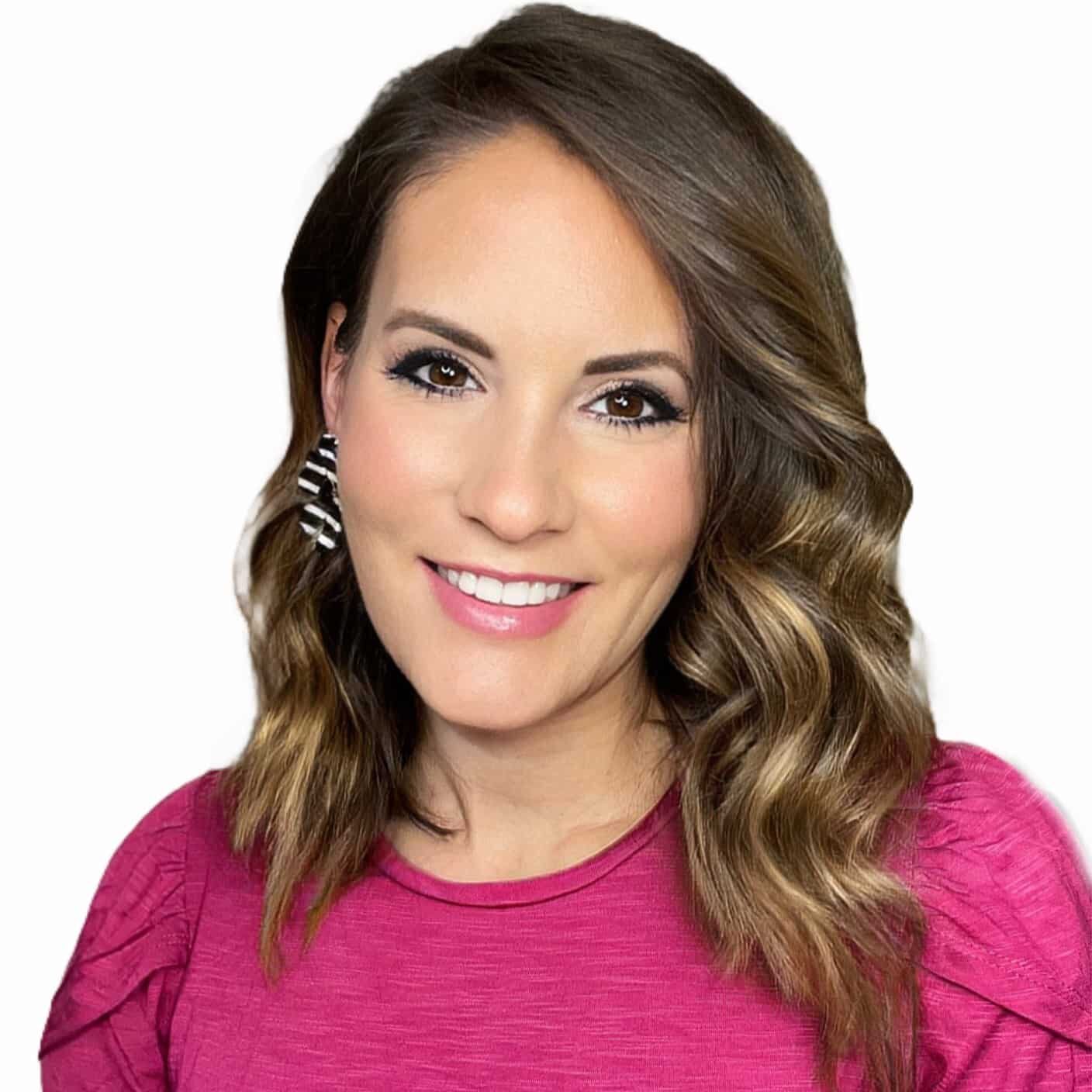
Stephanie Anderson
Senior Director, Communications and Social Media | Grace Hill
Stephanie Anderson is the Senior Director, Communications and Social Media, at Grace Hill. As a working Mom of four with over 18 years of property management experience, Anderson is the first leader in multifamily to bring a unique 360 perspective working as an operator, a non-profit association manager and a supplier partner.
She was awarded the 2024 Supplier Individual of the Year award by the Virginia Apartment Management Association and was recognized as a Top Voice in 2024 by LinkedIn. She is a two-time excel award winner by the National Apartment Association Education Institute (NAAEI) for her incredible work in the rental housing industry. She is a powerhouse speaker that provides her audience with an experience, motivating professionals to greater success and disrupting the status quo at all costs. She has a passion for creative marketing, operational excellence and insightful data.
She is a graduate of Virginia Commonwealth University where she majored in English Literature and Women’s Studies. She holds a Virginia Real Estate License, is certified as a National Instructor for NAAEI and is a certified Mental Health First Aid Trainer. She is a graduate of NAA’s Leadership Lyceum and promotes awareness for human trafficking in rental housing.
More Multifamily Social Media Tools

Social Media Tool Kit
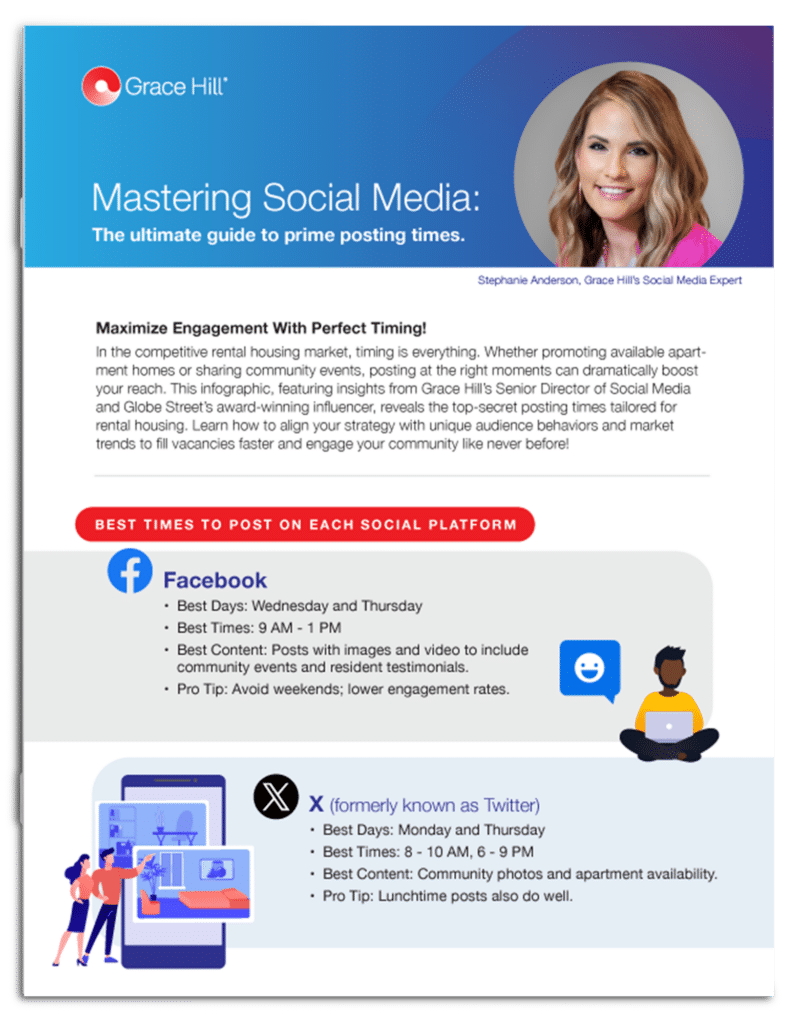
Mastering Social Media Posting Times